AWS has a database for almost every data model. That does not mean an application should use one of each. Every additional engine adds operational knowledge, security policy, backup behavior, and failure modes.
Start with the workload's access patterns and correctness requirements.
Amazon RDS
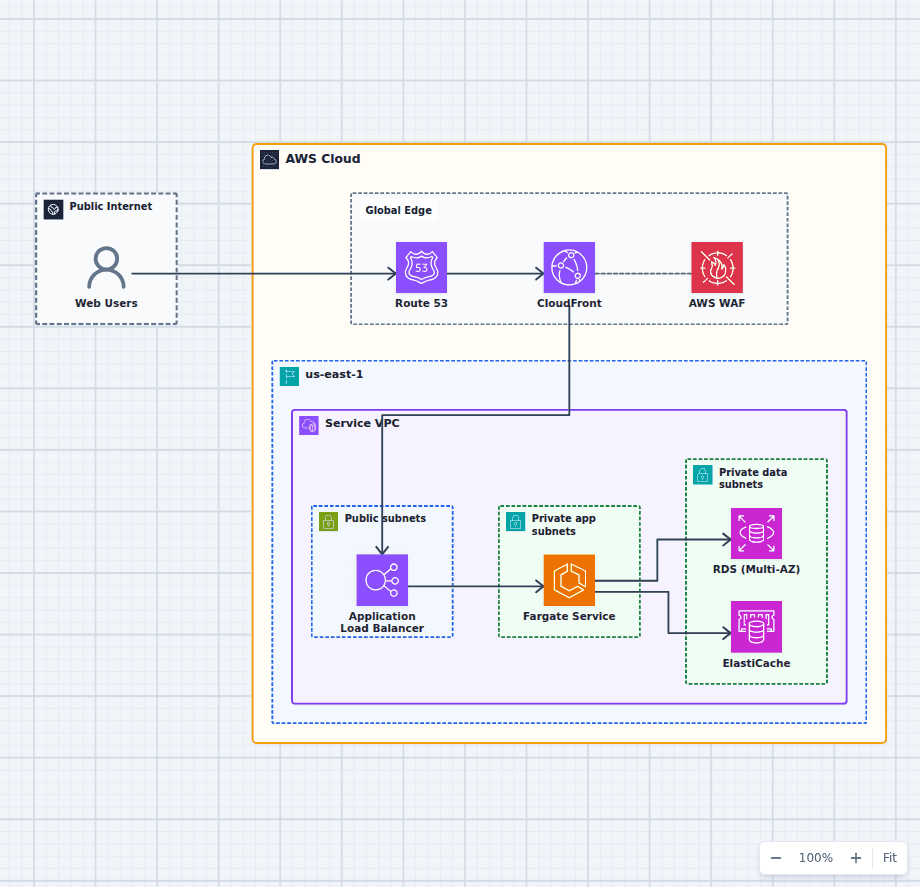
RDS manages familiar relational engines such as PostgreSQL, MySQL, MariaDB, SQL Server, and Oracle. Choose it when transactions, SQL, joins, constraints, and a mature ecosystem matter. Multi-AZ deployments improve availability. Read replicas can scale reads, but they are not the same feature as Multi-AZ standby capacity.
Amazon Aurora
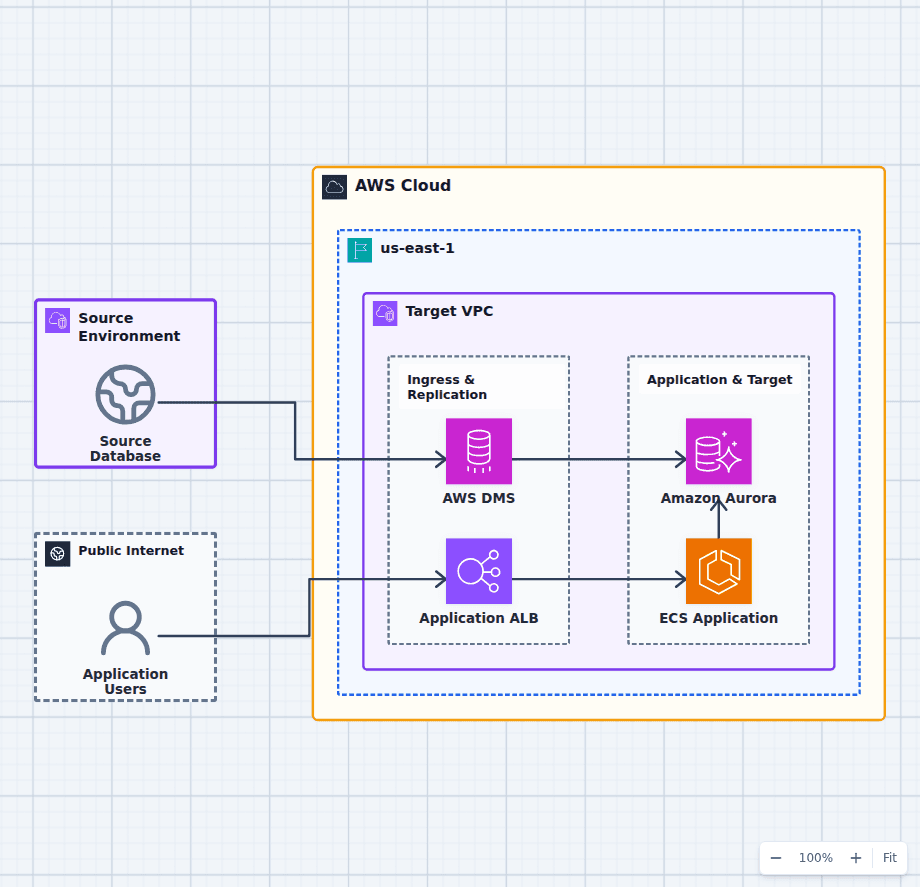
Aurora is a managed relational database compatible with MySQL or PostgreSQL. Its distributed storage architecture separates compute from a multi-copy storage layer. Aurora is attractive when a relational workload needs fast failover, reader scaling, or managed serverless capacity options.
Do not assume compatibility means identical behavior. Test extensions, parameter settings, query plans, and operational tooling.
Amazon DynamoDB
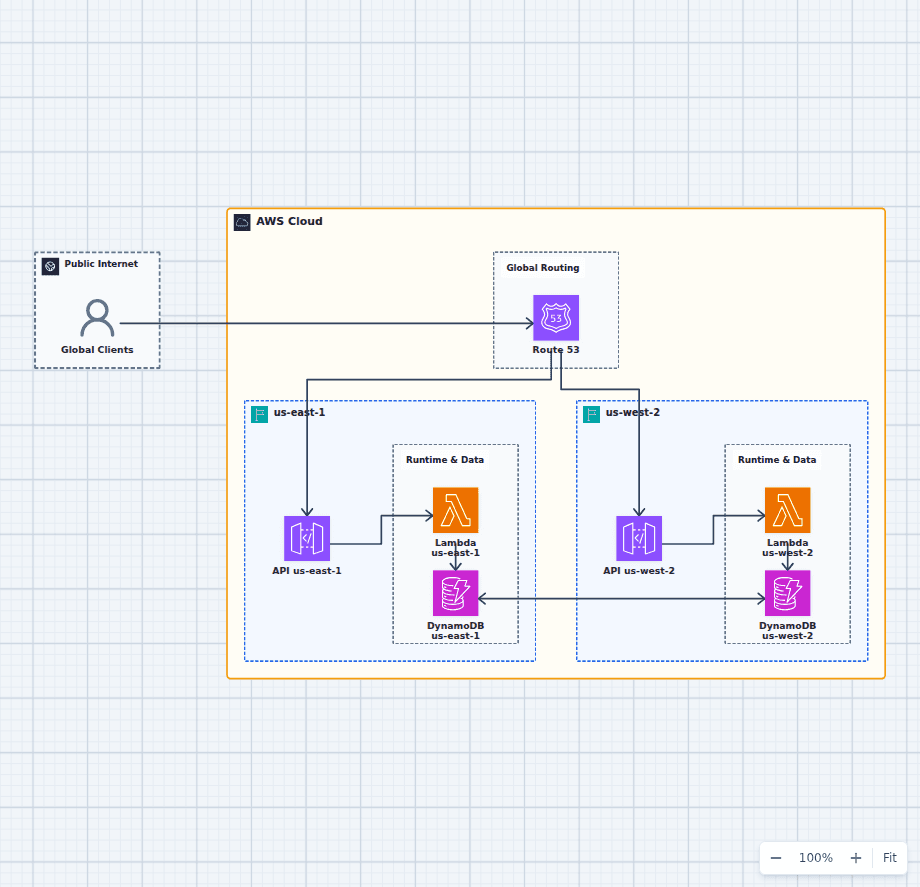
DynamoDB is a key-value and document database designed for low-latency access at large scale. It works best when access patterns are known and can be expressed through partition and sort keys or secondary indexes.
Choose DynamoDB for predictable request-based access, serverless scaling, and workloads that do not need arbitrary relational joins. Watch for hot partitions, unbounded item collections, expensive scans, and designs that copy a relational schema without adapting the queries.
Amazon ElastiCache
ElastiCache provides managed Valkey, Redis OSS, and Memcached options for caching, sessions, rate limiting, and fast ephemeral state. A cache is usually a complement to a durable database, not the authoritative record.
Define what happens on eviction, node loss, stale data, and cache stampede. If the application fails whenever the cache is empty, the cache has quietly become a database.
Amazon DocumentDB
DocumentDB offers MongoDB-compatible document database capabilities. It can fit JSON-oriented applications that benefit from a managed document model, but compatibility is not the same as running MongoDB. Validate the commands, indexes, drivers, and performance characteristics your application uses.
Amazon Neptune
Neptune is a graph database for highly connected data such as fraud relationships, knowledge graphs, identity networks, and recommendations. It supports graph query models where traversing relationships is the main job.
Amazon Timestream
Timestream is built for time-series data such as telemetry, operational metrics, and IoT measurements. It handles time-based retention and tiering without asking a general relational database to absorb an endless stream of timestamped records.
Amazon Redshift
Redshift is a columnar data warehouse for analytics across large datasets. It is designed for analytical queries, not as the transactional store behind a web request. The AWS lakehouse analytics architecture shows Redshift in a broader data platform.
Amazon OpenSearch Service
OpenSearch supports search, log analytics, and relevance-oriented retrieval. Use it as a search or analytics index when those query patterns matter. Avoid making it the only durable source of truth unless the workload and recovery design justify that choice.
Amazon Keyspaces
Keyspaces provides a Cassandra-compatible wide-column database. It can suit high-scale workloads already designed around Cassandra query patterns and drivers without operating a Cassandra cluster directly.
A practical selection order
- Choose relational first when transactions, constraints, and flexible SQL are central.
- Choose DynamoDB when request patterns are explicit and horizontal managed scale is the priority.
- Add a specialized engine only for a specialized access pattern that materially benefits.
- Decide availability, backup, restore, encryption, connection limits, and observability before calling the design complete.
For a migration, review the database migration to Aurora guide. For a new serverless API, compare the API Gateway, Lambda, and DynamoDB architecture. The database belongs in a complete request and recovery story.