
Amazon RDS vs Amazon DynamoDB
Compare relational SQL databases with serverless key-value storage by schema, queries, transactions, scaling, and access patterns.
Open editable diagramArchitecture diagram
Edit this exact diagram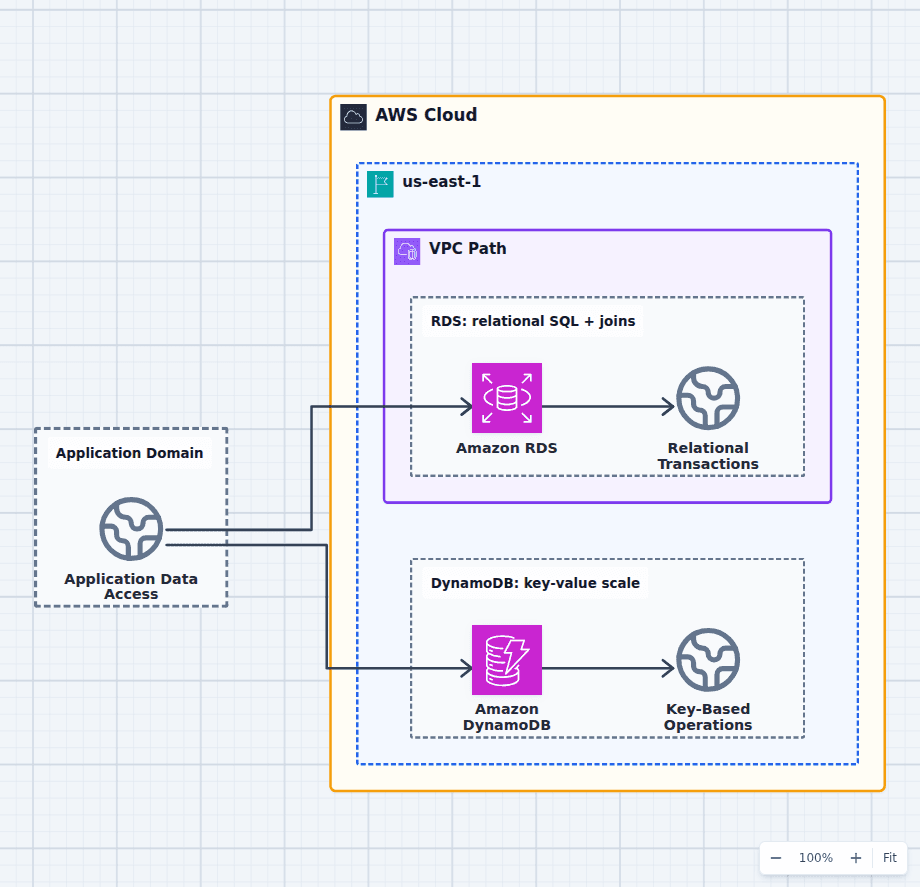 Open on the canvas
Amazon RDS vs DynamoDB architecture diagram comparing relational SQL transactions with serverless key-value access patterns. The image links to a fully editable BuildPlane starter.
Overview
Amazon RDS manages relational database engines with tables, constraints, joins, SQL, and flexible transactions. Amazon DynamoDB is a serverless key-value and document database designed around partition keys and known access patterns. RDS preserves general query flexibility; DynamoDB exchanges much of that flexibility for managed horizontal scale and predictable key-based latency.
Components
- Shared decision context: Queries and transactions whose shape should determine the database model.
- Amazon RDS: Managed relational engines for SQL, joins, constraints, and multi-row transactions. Normalized entities, flexible queries, joins, and transactional consistency.
- Amazon DynamoDB: Serverless key-value and document storage designed around known access patterns. Predictable single-digit millisecond reads and writes using partition and sort keys.
Comparison Flow
- Application Data Access can enter the Amazon RDS path and continue to Relational Transactions.
- Application Data Access can instead enter the Amazon DynamoDB path and continue to Key-Based Operations.
- Choose the path whose operating model and constraints match the workload, then delete the unused branch in the editable diagram.
Customize First
- Write the top read and write access patterns before choosing either schema.
- Model connection count and pooling for RDS or hot-key risk for DynamoDB.
- Use both when transactional records and high-scale session or cart data have different shapes.
Side-by-side decision
Amazon RDS vs Amazon DynamoDB
Use RDS for relational data and query flexibility. Use DynamoDB for known key-based access patterns that benefit from managed horizontal scale, serverless capacity, and predictable latency.
| Decision factor | Amazon RDS | Amazon DynamoDB |
|---|---|---|
| Model | Relational tables and SQL | Key-value and document items |
| Queries | Joins, aggregates, ad hoc predicates | Primary keys, sort keys, and declared indexes |
| Transactions | Flexible ACID transactions | ACID transactions within service limits and item model |
| Scaling | Instance, storage, replicas, or specialized cluster modes | Managed partition scaling with on-demand or provisioned capacity |
| Connectivity | Private VPC connection and connection pools | Regional service API through IAM and endpoints |
| Typical use | Orders, ledgers, ERP, relational applications | Sessions, carts, profiles, metadata, high-scale lookups |
Related AWS guides
Understand the decisions behind this diagram
Use these practical explanations to compare services, failure boundaries, and operating tradeoffs before adapting the architecture.
Design rationale
Decisions that shape this architecture
Write access patterns before choosing DynamoDB
A DynamoDB table is designed from the requests it must serve. Partition keys, sort keys, secondary indexes, item collections, and denormalization encode those paths. If important future queries are unknown or analysts need flexible SQL, RDS keeps more options open.
Relational integrity has product value
Foreign keys, constraints, joins, and multi-row transactions let a relational database enforce invariants close to the data. Reproducing the same guarantees in application code and denormalized items can be the wrong trade even when DynamoDB scales further.
Operational failure modes differ
RDS teams manage connection limits, instance and storage capacity, failover, maintenance, and read replicas. DynamoDB teams manage hot keys, throttling modes, index design, item size, and cost from broad scans. Managed does not mean decision-free.
Before production
Operational checks
Capture the highest-volume reads, writes, joins, and transaction boundaries.
Load-test RDS connections and failover or DynamoDB key distribution and throttling.
Define backups, point-in-time recovery, encryption, and restore testing.
Model storage, I/O, request units, replicas, and idle capacity over realistic demand.
Scope and tradeoffs
What this diagram does not solve
The label RDS covers several engines
PostgreSQL, MySQL, MariaDB, Oracle, SQL Server, Db2, and Aurora have different capabilities, licenses, extensions, and cost profiles. Select the engine before finalizing the comparison.
Hybrid persistence adds consistency work
Using both services can match workload shapes well, but data ownership must be explicit. Avoid dual writes without a durable event or change-capture strategy and reconciliation plan.
Common questions
Frequently asked questions
Is DynamoDB faster than RDS?
DynamoDB offers predictable low-latency key access at scale. RDS can answer far richer queries and can also be extremely fast with the right indexes and working set. Speed depends on the operation being compared.
Can DynamoDB replace a relational database?
Only when the domain can be modeled around known key-based access patterns without relying on relational joins, flexible reporting, or broad cross-entity transactions.
Which is cheaper?
DynamoDB can be efficient for variable key-value demand and expensive for inefficient scans or indexes. RDS has baseline instance and storage cost but can be economical at steady utilization. Model the real access pattern.
Keep exploring
Related AWS architectures
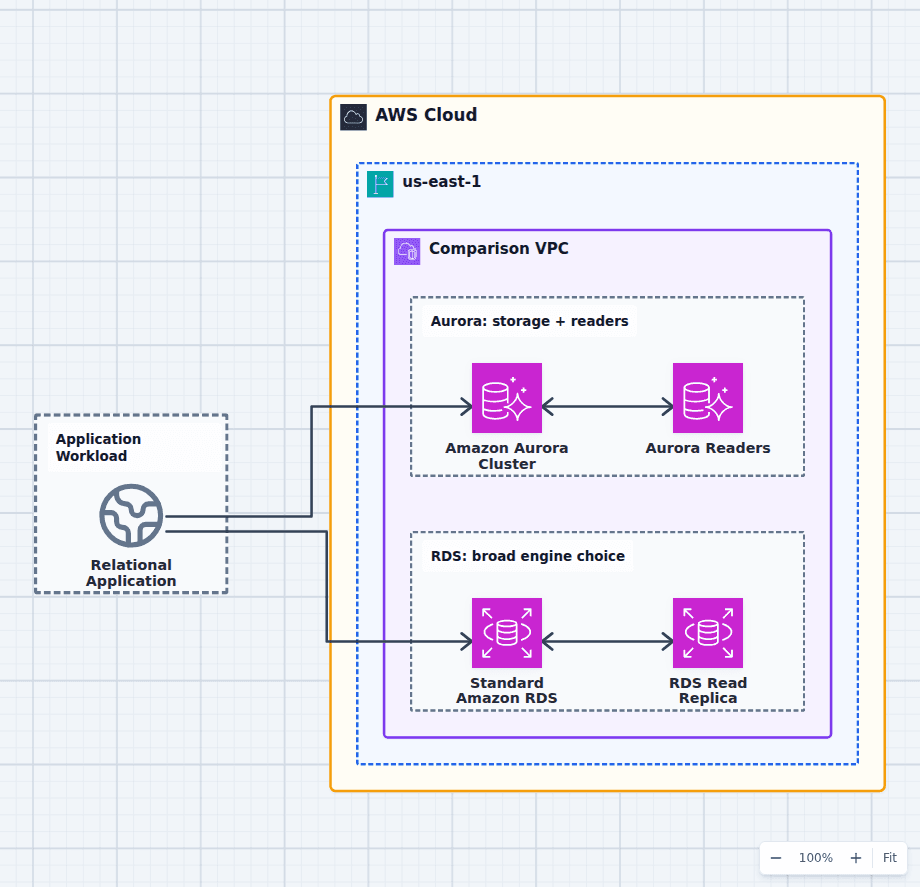
Amazon Aurora vs Standard Amazon RDS Engines
Choose Aurora when a MySQL- or PostgreSQL-compatible workload benefits from distributed cluster storage, rapid replica creation, reader endpoints, fast failover options, or Aurora-specific global and serverless features. Choose a standard RDS engine for exact engine compatibility, versions or licenses Aurora does not support, simpler steady workloads, or a lower-cost footprint at modest scale.
Explore the architecture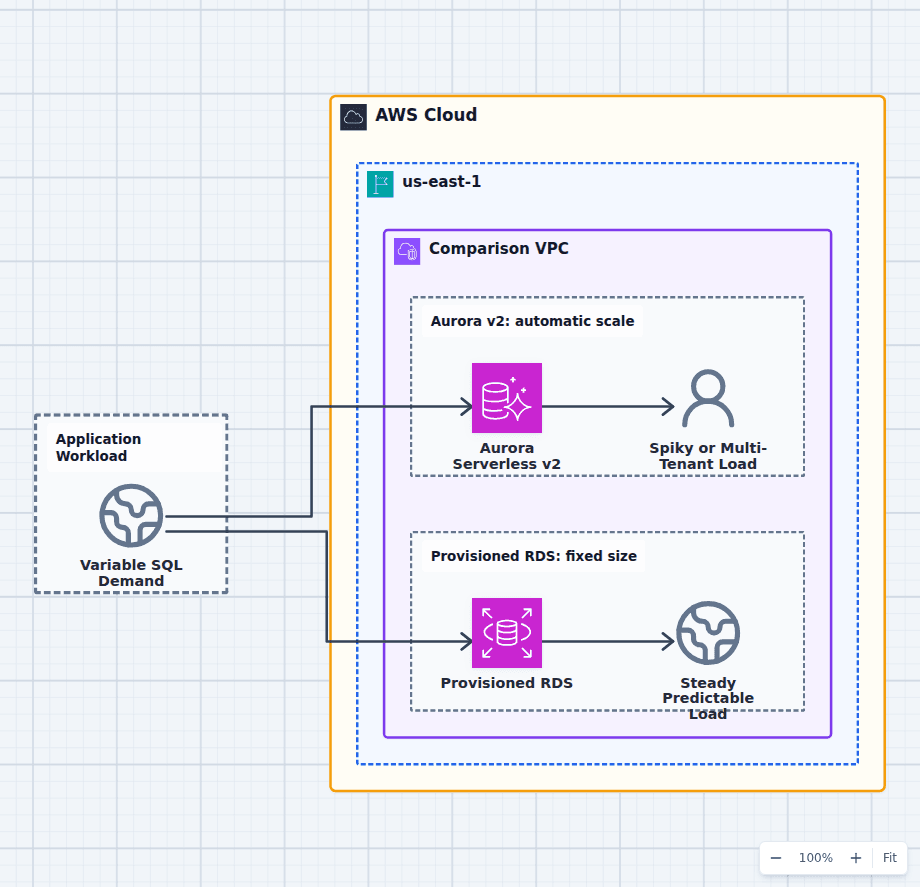
Aurora Serverless v2 vs Provisioned Amazon RDS
Choose Aurora Serverless v2 for variable, spiky, multi-tenant, development, or uncertain relational demand that benefits from automatic capacity adjustment. Choose provisioned RDS for stable utilization, exact instance characteristics, reserved capacity economics, or database engines outside Aurora. Minimum serverless capacity, connection load, caches, and steady baseline demand determine whether automatic scaling actually saves money.
Explore the architecture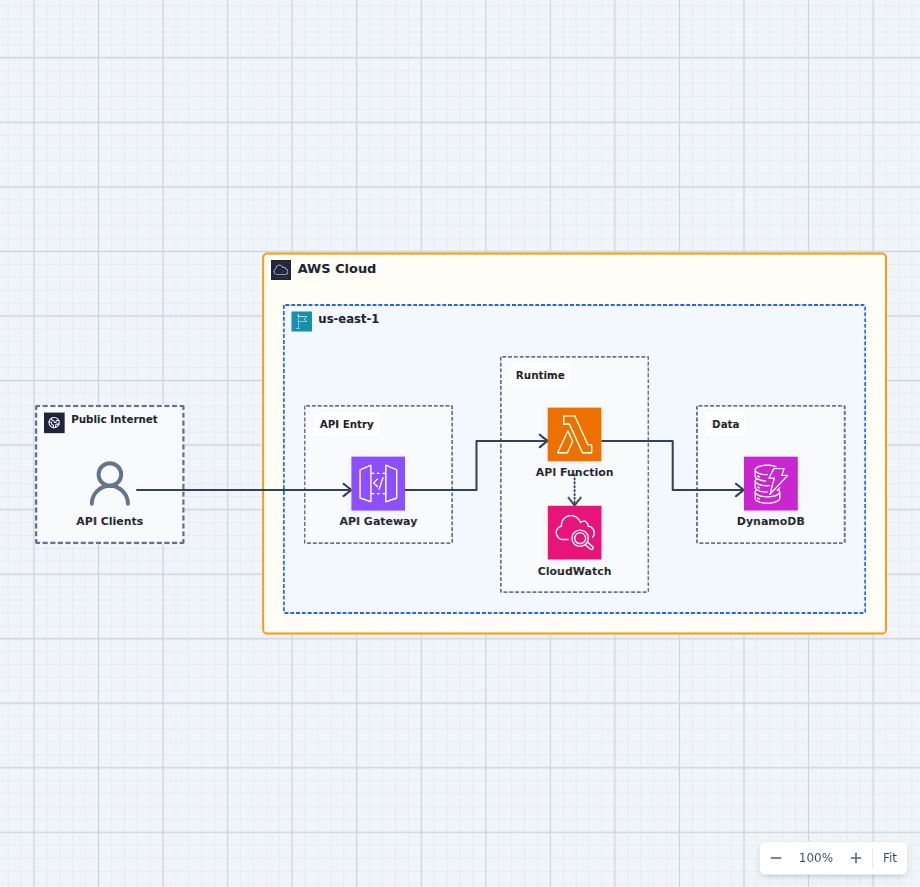
Serverless REST API Architecture on AWS
This is the serverless API baseline that most production APIs grow from rather than away from: a managed HTTPS entry point, stateless function compute, on-demand data storage, and observable execution. It is deliberately compact so the first real decisions stay legible. Adding authentication, caching, asynchronous work, and a second Region each attaches to this shape without replacing it, which is why it is worth understanding before the additions arrive.
Explore the architectureFrom reference to working draft
Adapt this architecture with your AWS AI Agent
Start from the exact diagram in this guide. Change requirements, challenge a decision, or ask what fails first, while keeping the architecture editable.