
Amazon Aurora vs Standard Amazon RDS Engines
Compare Aurora with standard RDS engines for compatibility, storage architecture, replicas, failover, throughput, and cost.
Open editable diagramArchitecture diagram
Edit this exact diagram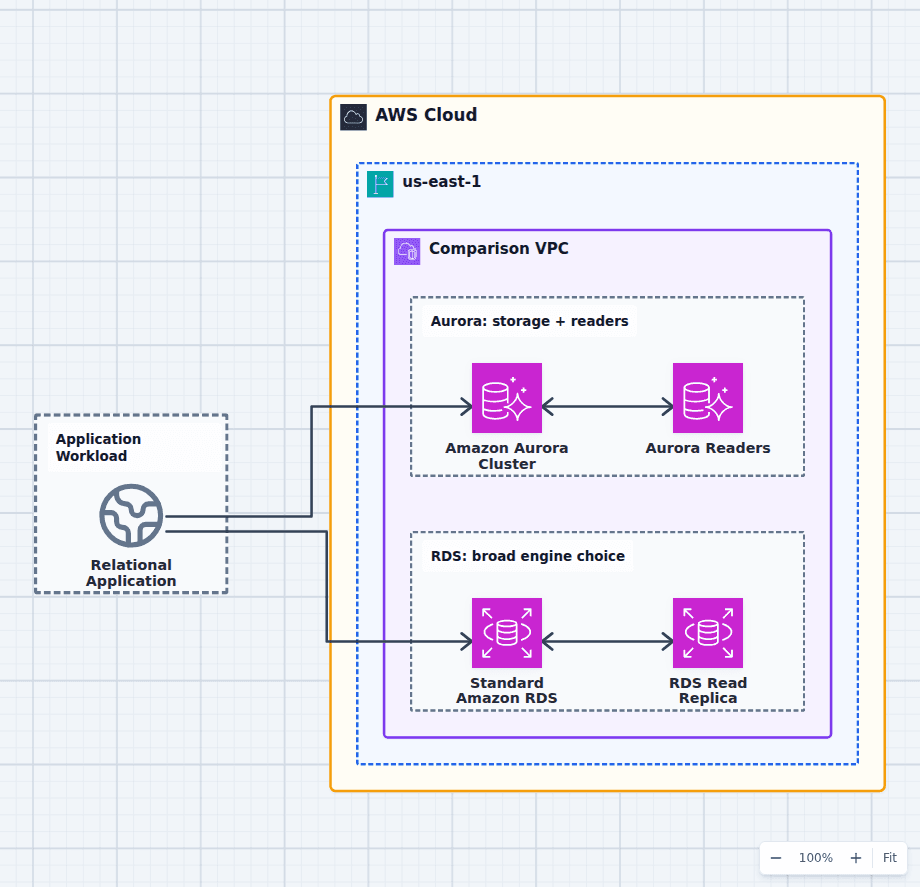 Open on the canvas
Amazon Aurora vs RDS architecture diagram comparing an Aurora cluster and readers with a standard RDS database instance and read replica. The image links to a fully editable BuildPlane starter.
Overview
Amazon Aurora is an engine in the Amazon RDS family. The meaningful comparison is Aurora MySQL or Aurora PostgreSQL versus a standard RDS engine such as RDS for MySQL or PostgreSQL. Aurora separates compute instances from a distributed replicated cluster volume and provides cluster endpoints and low-lag readers. Standard RDS provides a broader engine and version catalog with familiar instance and storage behavior.
Components
- Shared decision context: A transactional workload comparing managed relational engine families.
- Amazon Aurora Cluster: MySQL- or PostgreSQL-compatible compute over replicated distributed cluster storage. Low-lag reader instances sharing the cluster volume and a managed reader endpoint.
- Standard Amazon RDS: Managed PostgreSQL, MySQL, MariaDB, Oracle, SQL Server, or Db2 database instances. Engine-specific asynchronous replication for read scale and recovery options.
Comparison Flow
- Relational Application can enter the Amazon Aurora Cluster path and continue to Aurora Readers.
- Relational Application can instead enter the Standard Amazon RDS path and continue to RDS Read Replica.
- Choose the path whose operating model and constraints match the workload, then delete the unused branch in the editable diagram.
Customize First
- Benchmark the real query set and storage I/O rather than relying on headline throughput claims.
- Choose reader count and failover priority from the availability target.
- Include engine licensing and migration compatibility in total cost.
Side-by-side decision
Amazon Aurora vs Standard Amazon RDS
Choose Aurora for compatible workloads that need its distributed storage, reader fleet, failover, global, or serverless features. Choose standard RDS for broader engine choice, exact compatibility, and simpler or smaller deployments.
| Decision factor | Amazon Aurora | Standard Amazon RDS |
|---|---|---|
| Engines | MySQL- and PostgreSQL-compatible Aurora | PostgreSQL, MySQL, MariaDB, Oracle, SQL Server, Db2 |
| Storage | Distributed cluster volume shared by instances | Engine-specific instance storage architecture |
| Readers | Aurora readers and managed reader endpoint | Engine-specific read replicas |
| Failover | Cluster-aware promotion priorities and endpoints | Multi-AZ deployment behavior varies by engine and mode |
| Scaling options | Readers, Serverless v2, Global Database, Limitless for supported modes | Instance scaling, replicas, and supported RDS deployment modes |
| Compatibility | Compatible, not identical to upstream engine | Closer engine and version fidelity |
Related AWS guides
Understand the decisions behind this diagram
Use these practical explanations to compare services, failure boundaries, and operating tradeoffs before adapting the architecture.
Design rationale
Decisions that shape this architecture
Compatibility needs tests, not the word compatible
Extensions, parameter behavior, replication, plugins, storage assumptions, SQL edge cases, and operational tools can differ. Run the production query set and migration tooling against the exact Aurora or RDS version before deciding.
Aurora readers share a storage system
Aurora compute instances attach to one replicated cluster volume, which changes replica lag, failover, endpoints, and storage operations compared with conventional read replicas. That architecture is the main reason to choose Aurora, not simply a generic performance claim.
Small steady databases may not need the larger platform
A standard RDS instance with Multi-AZ can be simpler and more economical for modest predictable workloads. Aurora-specific features create value only if the application or operating model uses them.
Before production
Operational checks
Benchmark production queries, writes, failover, and replica lag on the exact engine versions.
Test drivers and connection pools against writer and reader endpoint changes.
Review extension, logical replication, backup, export, and migration compatibility.
Model instance, storage, I/O, backup, replica, and data-transfer charges.
Scope and tradeoffs
What this diagram does not solve
RDS is a service family, not one engine
Statements such as Aurora is faster than RDS are incomplete because the alternative engine, version, storage, instance, and deployment mode determine the comparison.
Multi-AZ is not read scaling by itself
A standby deployment improves availability but may not serve application reads. Add reader instances or engine-specific read replicas when read throughput is a separate requirement.
Common questions
Frequently asked questions
Is Aurora part of RDS?
Yes. Aurora is a relational database engine managed through Amazon RDS. The usual comparison is Aurora versus standard RDS engines or deployment types.
Is Aurora fully compatible with MySQL and PostgreSQL?
Aurora is wire- and feature-compatible with supported versions, but not identical. Extensions, versions, operational behavior, and edge cases require compatibility testing.
When is standard RDS better?
When the workload needs an engine Aurora does not offer, exact version or extension behavior, simpler predictable capacity, or a lower-cost deployment that does not benefit from Aurora features.
Keep exploring
Related AWS architectures
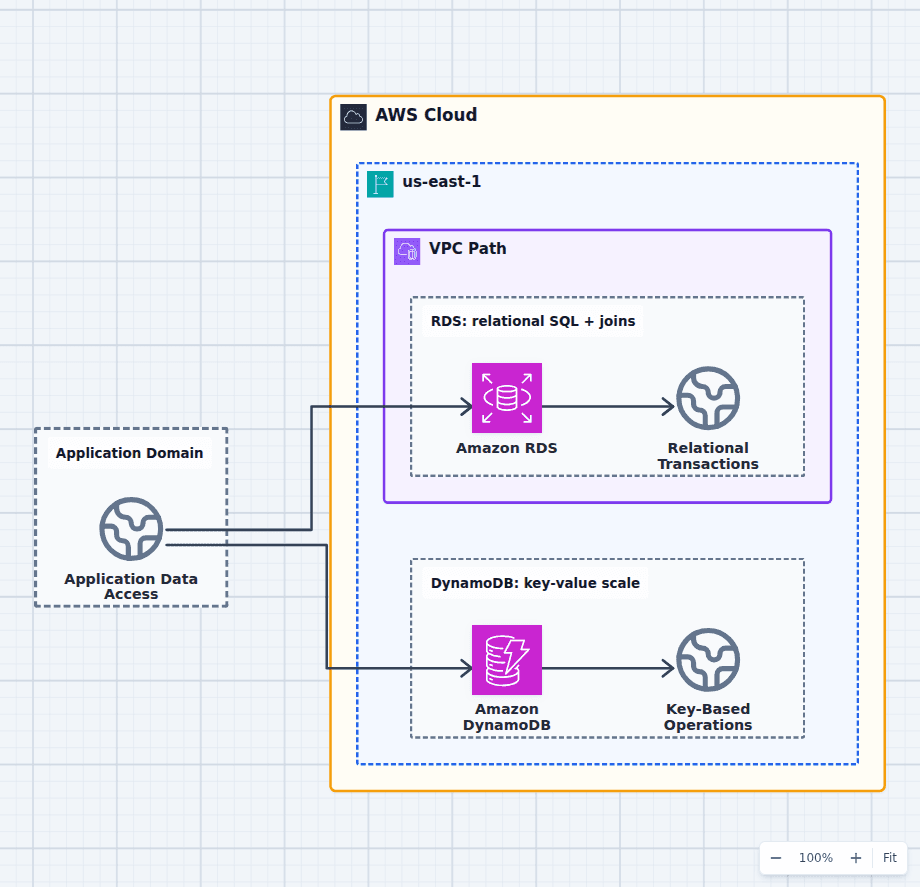
Amazon RDS vs Amazon DynamoDB
Choose RDS when relationships, SQL, joins, constraints, ad hoc queries, or broad transactional semantics are central. Choose DynamoDB when access patterns are known, key-based operations dominate, traffic can scale sharply, and serverless operations matter. Many systems use RDS for authoritative business transactions and DynamoDB for carts, sessions, idempotency, or high-scale lookup paths.
Explore the architecture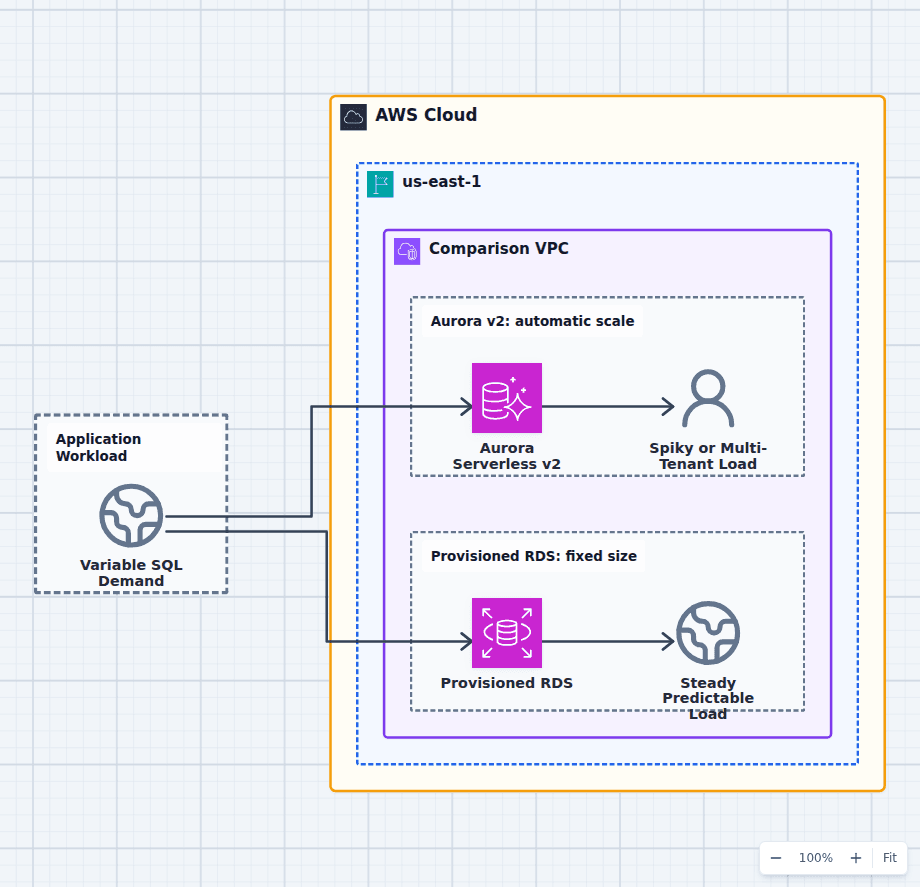
Aurora Serverless v2 vs Provisioned Amazon RDS
Choose Aurora Serverless v2 for variable, spiky, multi-tenant, development, or uncertain relational demand that benefits from automatic capacity adjustment. Choose provisioned RDS for stable utilization, exact instance characteristics, reserved capacity economics, or database engines outside Aurora. Minimum serverless capacity, connection load, caches, and steady baseline demand determine whether automatic scaling actually saves money.
Explore the architecture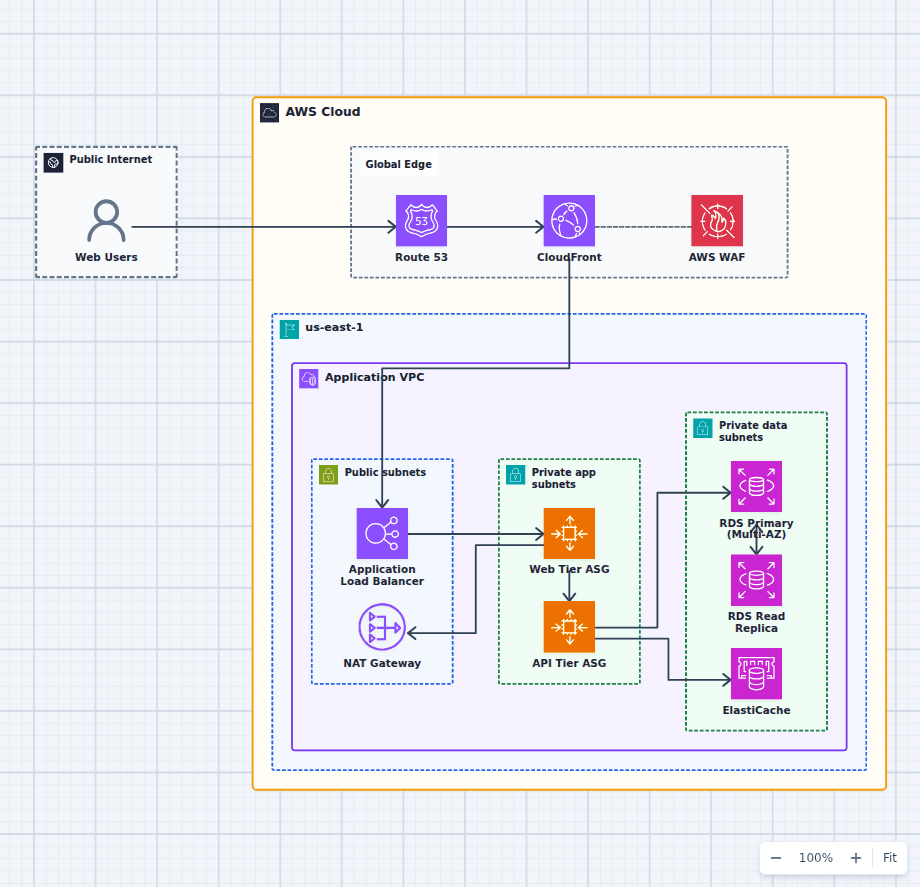
Production-Grade Highly Available Web Platform on AWS
This reference expands the three-tier baseline with a global edge, separate scaling domains, caching, read scaling, private egress, secrets, backups, and operations. It is intended for teams evaluating a conventional production web platform rather than a minimal learning diagram.
Explore the architectureFrom reference to working draft
Adapt this architecture with your AWS AI Agent
Start from the exact diagram in this guide. Change requirements, challenge a decision, or ask what fails first, while keeping the architecture editable.