
Database Migration to Amazon Aurora with AWS DMS
AWS DMS performs full load and change data capture from an on-premises database while a containerized application transitions to Amazon Aurora.
Open editable diagramArchitecture diagram
Edit this exact diagram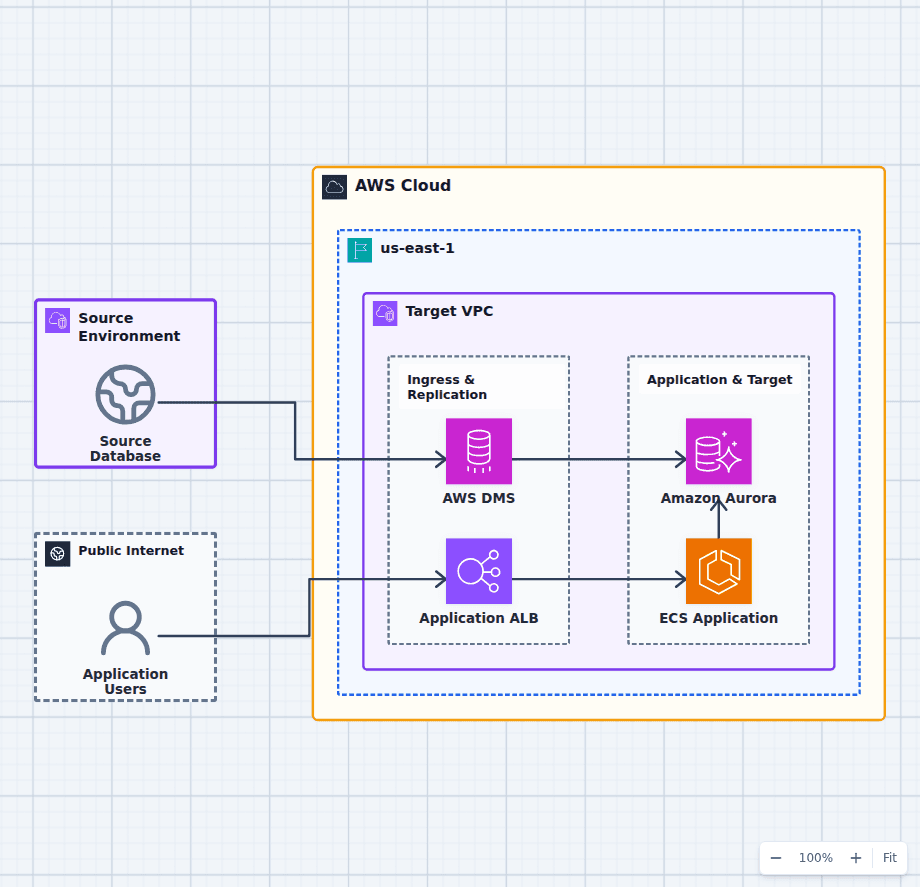 Open on the canvas
AWS database migration diagram with an on-premises source, AWS DMS, Application Load Balancer, ECS application, and Amazon Aurora. The image links to a fully editable BuildPlane starter.
Overview
AWS Database Migration Service performs a full load from an on-premises relational database and continues change data capture into Amazon Aurora. In parallel, an Application Load Balancer and Amazon ECS service form the target application path that is validated before controlled cutover.
Components
- Source database and AWS DMS: DMS reads the existing database, performs full load, and continues change data capture.
- ECS application path: An ALB fronts the containerized target application in private subnets.
- Amazon Aurora: Aurora becomes the managed relational target after validation and controlled cutover.
Migration and Cutover Flow
- AWS DMS copies the source dataset and continuously applies captured changes to Aurora.
- The target ECS application is validated against Aurora before production traffic moves.
- A controlled cutover redirects application users after replication lag reaches the approved threshold.
Customize First
- Run schema conversion and application compatibility tests before starting bulk migration.
- Size DMS replication capacity from change volume, large objects, and transformation rules.
- Define reconciliation queries, rollback criteria, and the final source write-freeze procedure.
Related AWS guides
Understand the decisions behind this diagram
Use these practical explanations to compare services, failure boundaries, and operating tradeoffs before adapting the architecture.
Design rationale
Decisions that shape this architecture
Separate full load from continuous changes
DMS copies the existing dataset and then applies captured changes, allowing target validation while the source application continues operating.
Prepare the application path before cutover
The ECS service and Aurora target can be performance-tested, reconciled, and operationally reviewed before production users are redirected.
Make cutover an explicit controlled event
A write freeze, lag threshold, validation query set, traffic switch, and rollback point turn migration completion into a repeatable runbook rather than an assumption.
Before production
Operational checks
Complete engine, extension, datatype, collation, and schema compatibility assessment.
Monitor DMS task errors, source change volume, target latency, and replication lag.
Reconcile row counts, checksums, critical aggregates, and application behavior before cutover.
Rehearse write freeze, traffic switch, rollback, and source decommission approvals.
Scope and tradeoffs
What this diagram does not solve
DMS does not solve every schema difference
Stored procedures, extensions, engine-specific behavior, unsupported datatypes, and application queries may require conversion and code changes.
Rollback becomes harder after target writes begin
The runbook must define whether writes can return to the source, how they are reconciled, and when the old system becomes read-only or retired.
Common questions
Frequently asked questions
What is change data capture in AWS DMS?
After the initial load, DMS reads ongoing source database changes and applies them to the target so replication can continue until cutover.
Does AWS DMS convert the application schema?
DMS moves data. Schema conversion tooling and manual engineering may still be required for engine-specific objects, SQL behavior, and application compatibility.
How is migration downtime minimized?
Keep change replication running during validation, then use a short controlled write freeze to drain lag, run final checks, and redirect traffic.
Keep exploring
Related AWS architectures
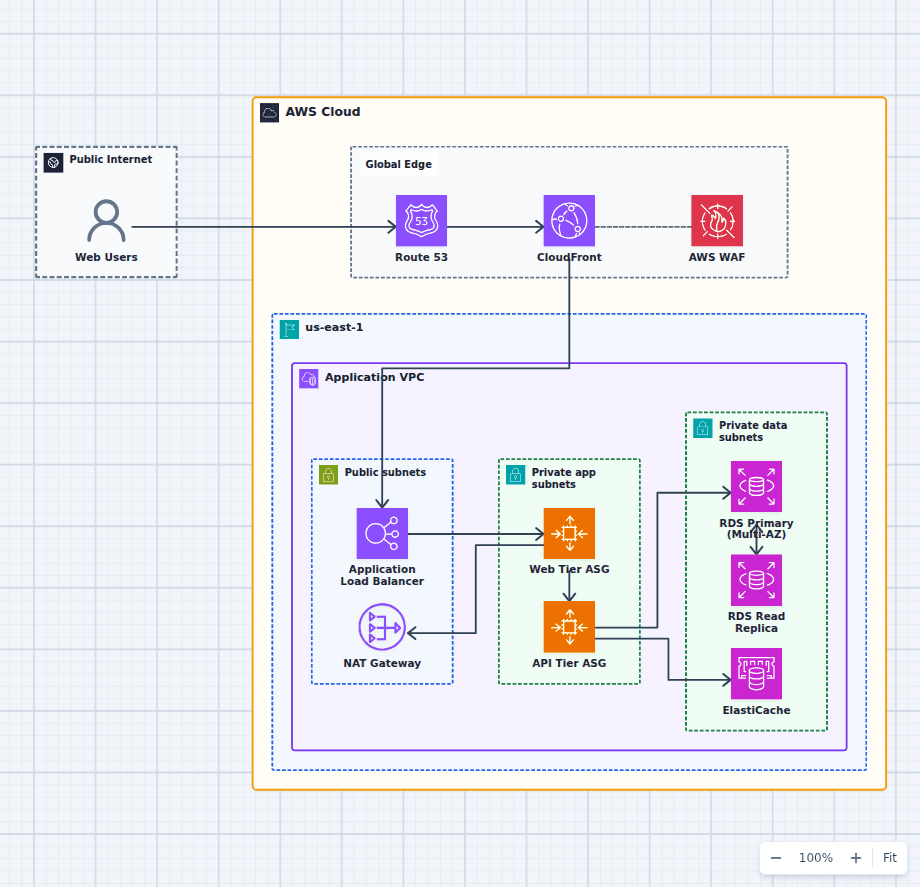
Production-Grade Highly Available Web Platform on AWS
This reference expands the three-tier baseline with a global edge, separate scaling domains, caching, read scaling, private egress, secrets, backups, and operations. It is intended for teams evaluating a conventional production web platform rather than a minimal learning diagram.
Explore the architecture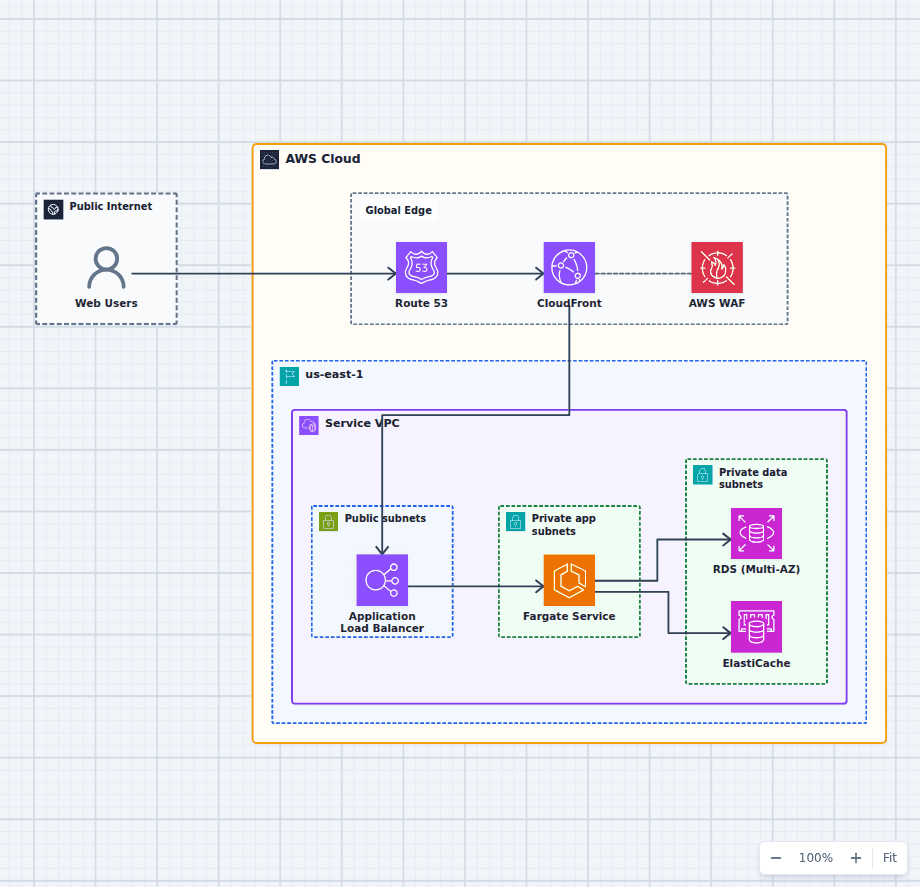
Containerized Web Service with Amazon ECS and Fargate
This architecture runs a production container service without an EC2 host fleet. A protected global edge forwards to a Multi-AZ load balancer, Fargate tasks stay private and reach data services over the VPC network, and managed image, secret, and observability services support the runtime. Every component here is one an ordinary web application needs eventually, which is why this shape is a common destination for teams outgrowing a single server and for teams who found Lambda too constraining.
Explore the architecture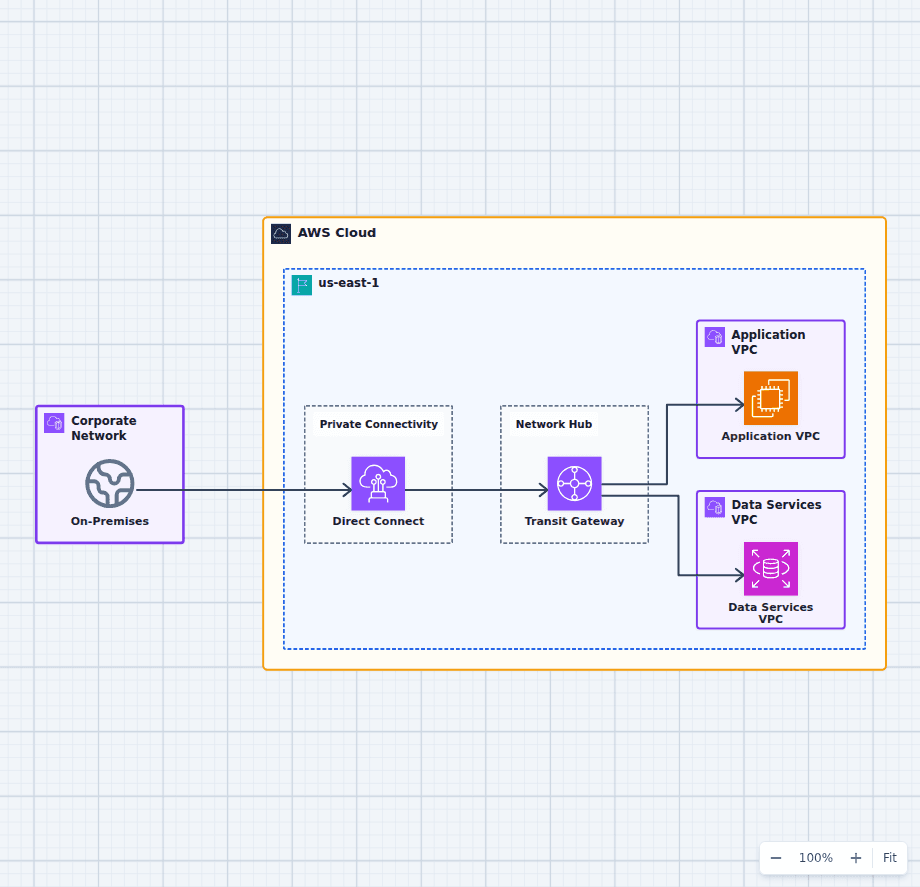
Hybrid Network with AWS Transit Gateway
This hub-and-spoke network architecture separates private connectivity from VPC routing and workload placement. It gives teams a clear place to discuss route-table isolation, shared services, inspection, address planning, redundant circuits, and the boundary between network and application ownership.
Explore the architectureFrom reference to working draft
Adapt this architecture with your AWS AI Agent
Start from the exact diagram in this guide. Change requirements, challenge a decision, or ask what fails first, while keeping the architecture editable.