Compute choices are architecture choices. They decide how code starts, scales, fails, gets patched, and gets billed. EC2, Lambda, and Fargate can all run application code, but they give the team very different responsibilities.
Choose EC2 when control matters
EC2 gives you a virtual machine. You choose the operating system, instance family, storage, agents, network interfaces, bootstrap process, and patching approach. It fits long-running applications, specialized software, steady high utilization, custom networking, GPUs, and workloads that need host-level control.
That control creates work. The team owns image maintenance, operating system updates, capacity management, instance recovery, and scaling policy. An Auto Scaling group can make instances replaceable, but the workload must support replacement.
Choose Lambda for event-driven work
Lambda runs functions in response to API calls, queues, streams, schedules, and service events. It scales by concurrent invocations and charges primarily for requests and execution duration. It fits short, stateless units of work with variable traffic.
Lambda removes server management, not software design. You still need idempotency, timeouts, concurrency controls, dependency management, tracing, failure destinations, and a plan for retries. Long-running processing, large local state, or consistently busy compute may fit containers or EC2 better.
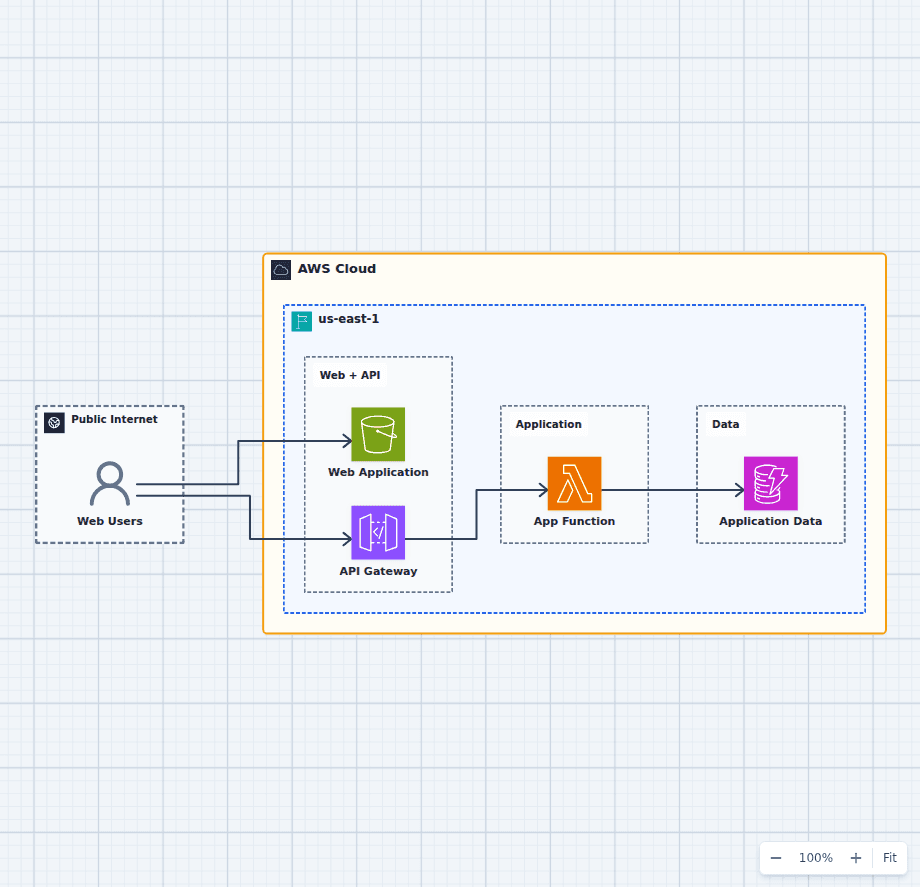
The serverless REST API architecture shows a clean synchronous Lambda path. The asynchronous file processing pipeline shows why background work often belongs behind a queue or event.
Choose Fargate for managed container capacity
Fargate runs containers for ECS or EKS without asking you to manage the underlying EC2 hosts. You define CPU, memory, networking, image, environment, health checks, and desired task count.
It is a good fit for long-running services, workers, scheduled containers, and teams that want a portable container artifact without operating a node fleet. You still own the container image, application runtime, task sizing, deployment, and observability.
Compare the operating model
| Dimension | EC2 | Lambda | Fargate |
|---|---|---|---|
| Unit of deployment | Machine image or software on a VM | Function package or image | Container image |
| Scaling | Instances | Concurrent invocations | Tasks or pods |
| Host management | Your responsibility | AWS managed | AWS managed |
| Runtime shape | Long-running | Bounded invocation | Long-running or batch task |
| Best cost profile | Steady utilization and commitments | Bursty, short execution | Moderate container workloads without node ops |
| Control | Highest | Lowest | Middle |
Do not force one winner
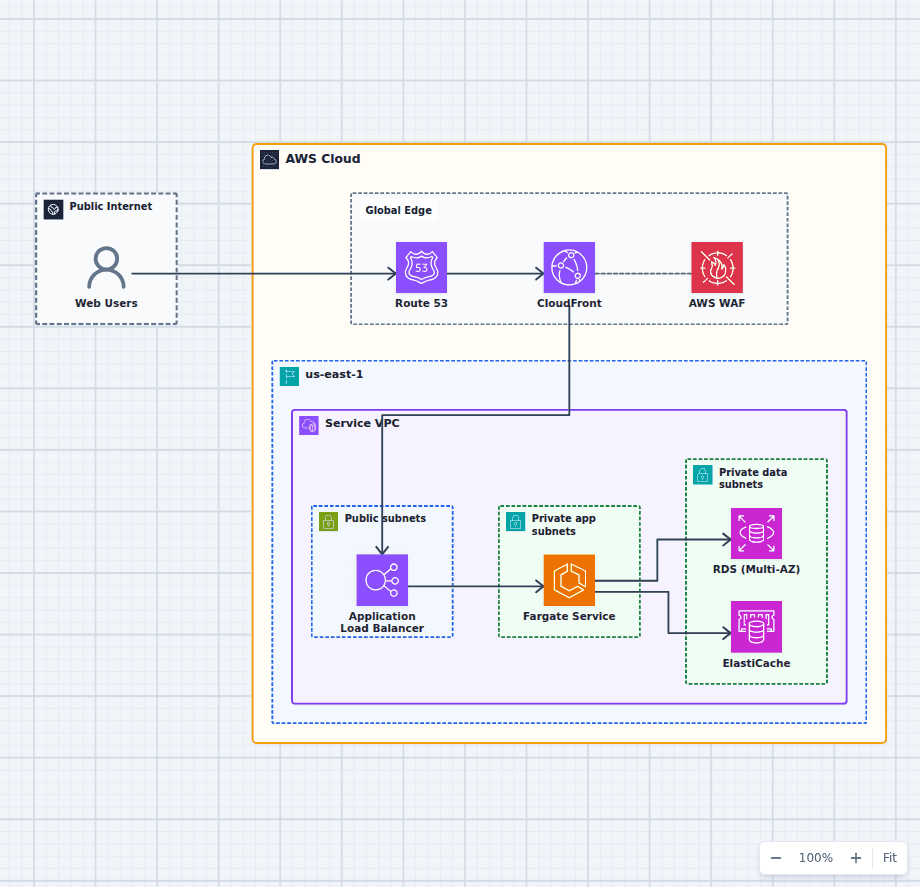
A product might run its API on Fargate, process image events with Lambda, and use EC2 GPU instances for model inference. That is not inconsistency. It is matching compute to workload shape.
The architectural mistake is choosing from fashion. Write down runtime duration, traffic pattern, startup sensitivity, scaling unit, architecture support, operating system needs, compliance constraints, and team skill. The right option usually becomes clear when those facts are visible.
For website workloads, compare that operating model with Website X-Ray's EC2 vs Lambda vs Fargate performance guide, which adds cold, warm, burst, tail-latency, and browser-response considerations to the architecture decision.