You click Launch instance, and a minute later a Linux or Windows server appears. It feels like AWS simply turned on a computer. The real process is a coordinated workflow across the EC2 control plane, capacity pools, networking, block storage, identity, and the operating system inside the guest.
Understanding that workflow is useful for troubleshooting slow launches, failed status checks, unreachable instances, and brittle deployment scripts.
1. EC2 validates the launch request
The console ultimately sends a RunInstances API request. EC2 checks the Amazon Machine Image, instance type, subnet, security groups, IAM instance profile, key pair, storage mappings, tags, purchase option, and account quotas.
This is the first place a launch can fail. A malformed parameter, missing permission, incompatible instance type, exhausted quota, or unavailable capacity can stop the request before a virtual machine exists.
2. AWS chooses physical capacity
The subnet fixes the Availability Zone. EC2 then looks for capacity for the selected instance family and size inside that zone. With On-Demand Instances, AWS allocates suitable capacity from its fleet. With Spot Instances, availability and price conditions also matter. With a Capacity Reservation, the matching reservation can provide stronger placement assurance.
You do not normally see the physical host. Nitro-based EC2 instances use dedicated hardware and a lightweight hypervisor to isolate workloads while offloading networking, storage, and management functions.
3. The network interface is created
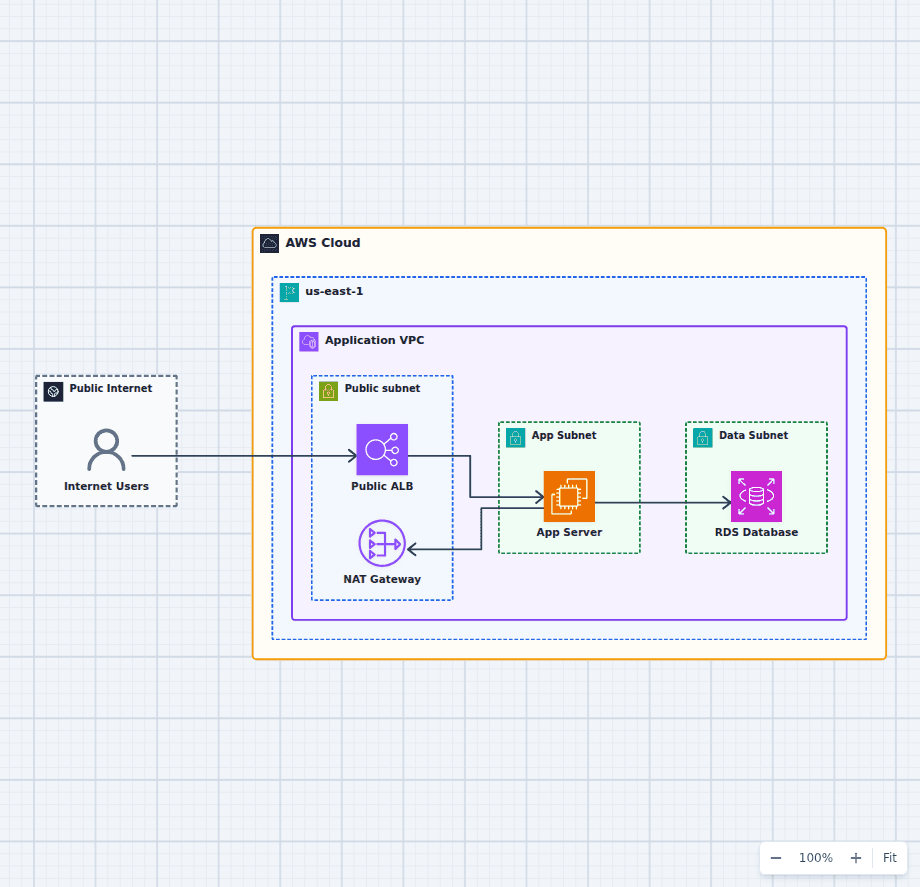
EC2 creates or attaches an Elastic Network Interface in the chosen subnet. The ENI receives a private IPv4 address and, depending on the subnet and launch settings, may receive a public IPv4 address. Security groups attach to the ENI, not to the operating system.
The route table belongs to the subnet. It decides whether packets have a path to an internet gateway, NAT gateway, transit gateway, virtual private gateway, or another destination. A public IP alone does not create connectivity. The routes, network ACLs, security groups, and guest firewall must all agree.
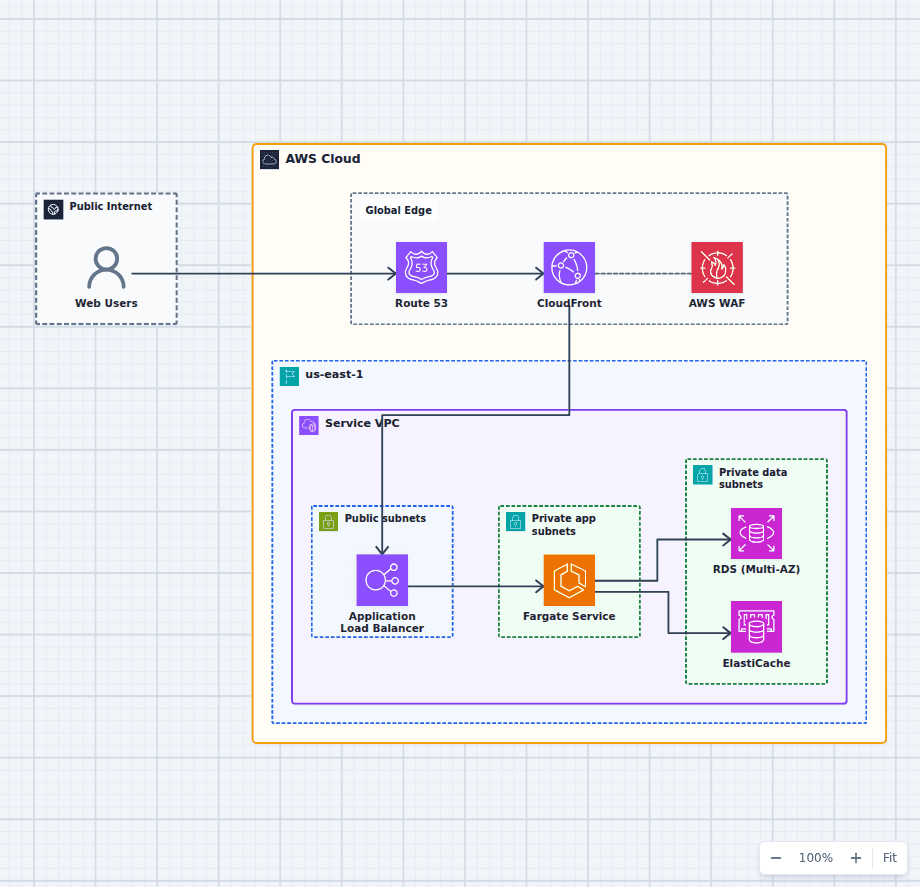
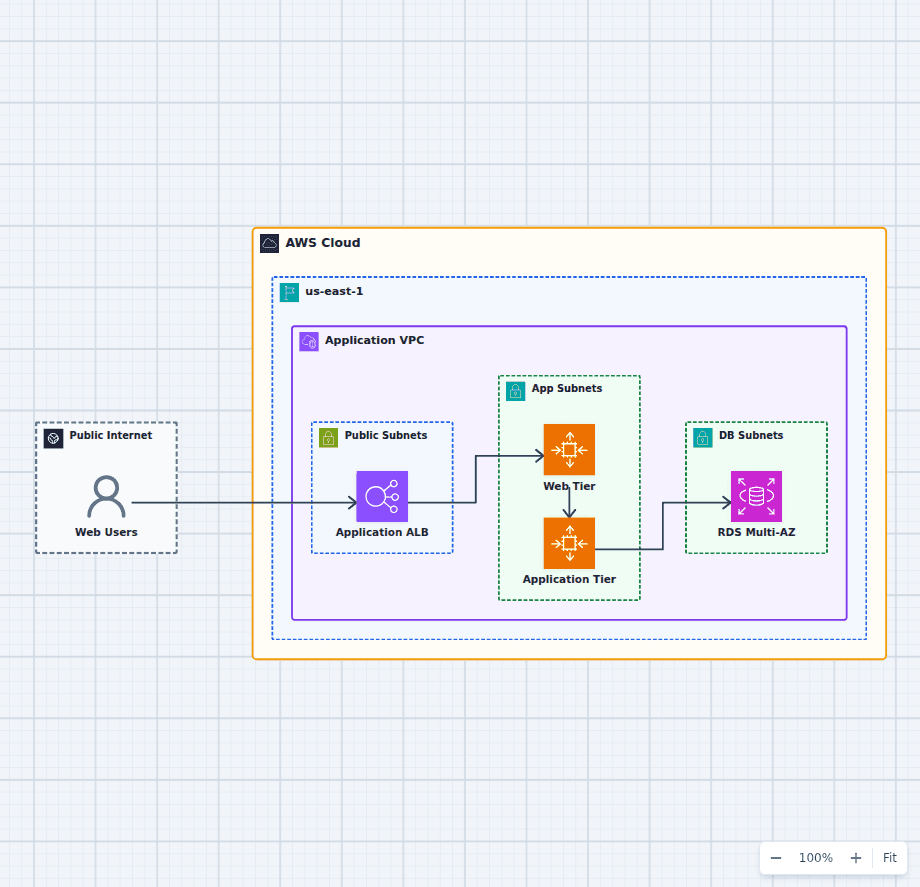
The public and private subnet architecture guide shows where internet-facing and private EC2 workloads normally sit.
4. EBS volumes are prepared
Most EC2 launches create a root Amazon EBS volume from a snapshot behind the AMI. Additional data volumes may also be created or attached. EBS encryption uses the selected KMS key, and the calling identity needs permission to use that key.
Snapshot blocks are loaded lazily as the instance reads them. That is why a new volume created from a large snapshot can have first-read latency unless it is initialized or Fast Snapshot Restore is enabled.
5. The instance boots from the AMI
The virtual firmware starts, the kernel boots, and the operating system discovers its virtual devices. On Linux, cloud-init commonly reads instance metadata and user data. On Windows, EC2Launch performs similar initialization tasks.
User data is convenient, but it is also a frequent source of mysterious failures. A long package installation, unavailable package repository, secret embedded in a script, or non-idempotent command can leave the server running but the application broken. Keep bootstrap work short, log it, and make it safe to retry.
6. Identity becomes available through IMDS
If an IAM role is attached, temporary credentials are delivered through the Instance Metadata Service. Applications can use the AWS SDK credential chain instead of storing long-lived access keys on disk.
Require IMDSv2 when possible. It uses session-oriented requests and provides better protection against several metadata access risks. Treat the instance role as application identity and grant only the actions the workload needs.
7. EC2 runs three infrastructure status checks
Amazon EC2 performs its built-in status checks every minute and reports three distinct infrastructure signals:
- System status checks the AWS host, power, and network path beneath the instance. A failure normally points to infrastructure that requires AWS involvement or an instance recovery action.
- Instance status checks the guest operating system and network reachability of the instance. Exhausted memory, a corrupted file system, an incompatible kernel, or broken startup networking can cause it to fail.
- Attached EBS status checks whether every attached Amazon EBS volume is reachable and able to complete I/O. If any attached volume is impaired, EC2 publishes the StatusCheckFailed_AttachedEBS metric. A prolonged failure may require replacing the volume, stopping and starting the instance, failing over, or configuring an Auto Scaling group to replace the affected instance.
The official EC2 status-check documentation describes the failure domains and recovery options for all three checks.
8. Add an application status check
Passing all three EC2 checks still does not prove the application is ready to serve users. The operating system can respond while a deployment is incomplete, a dependency is unavailable, the connection pool is exhausted, or the application returns errors.
For a web workload, configure an Application Load Balancer target-group check against a meaningful HTTP or HTTPS readiness path such as /health/ready. The endpoint should confirm that the process can serve requests and that essential local dependencies are initialized. Keep it bounded so one slow optional dependency does not make every target flap between healthy and unhealthy.
ALB removes a target from normal routing after the configured failure threshold and returns it after enough successful checks. Review the ALB target health-check behavior, alarm on unhealthy target count, and test the failure path. The ALB vs NLB guide explains why application-aware HTTP checks are one of the important differences between the two load balancers.
The production lesson
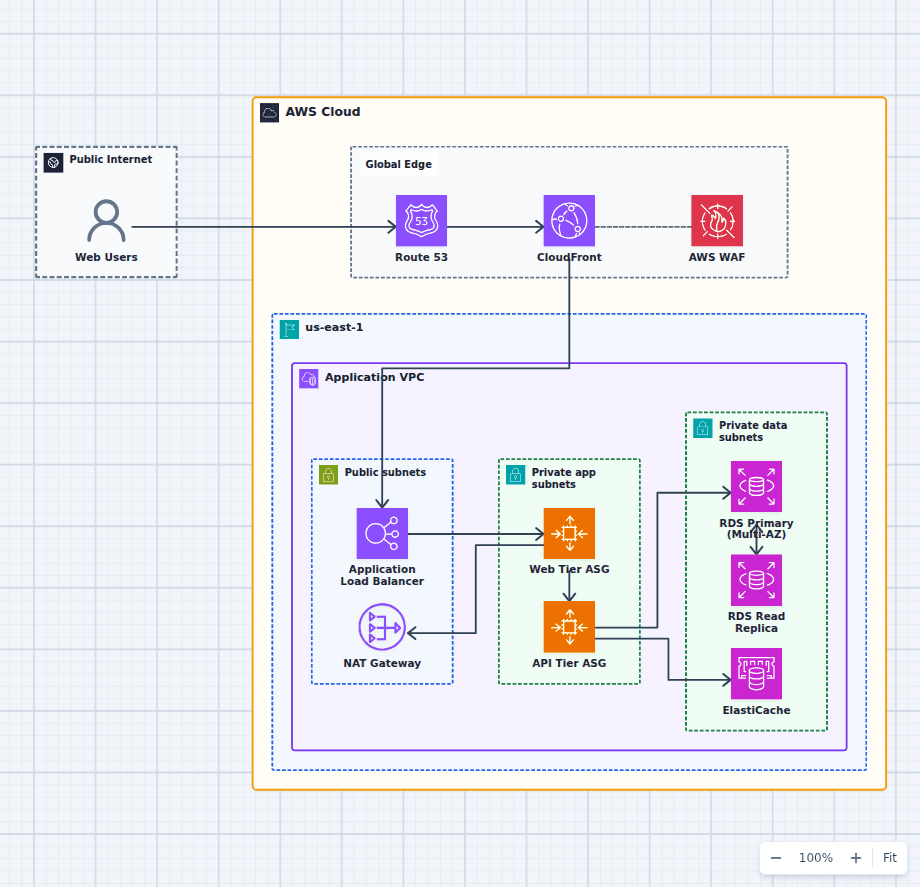
A launched instance is not the finished architecture. It needs patching, logs, metrics, backups, replacement behavior, and a clear failure boundary. Put stateless instances in an Auto Scaling group, spread capacity across Availability Zones, and place an Application Load Balancer in front when the workload serves HTTP traffic. The highly available web application diagram makes those relationships concrete.
The best mental model is simple: EC2 launches are repeatable infrastructure events. If losing one instance feels like losing a pet, the architecture still depends too heavily on that machine.