There are plenty of cases where all you need is a simple page online: a portfolio experiment, an event flyer, a class project, or a demo. You may not want to buy a domain before the idea earns one.
Amazon S3 can publish static content through an AWS-provided endpoint. This is a good learning exercise, but it is important to understand that the quick public-bucket path is not the preferred production design for sensitive or private content.
Before you start
You need an AWS account and a small static site, usually an index.html file plus optional CSS, JavaScript, and images. Set an AWS Budget before experimenting. Free Tier eligibility and AWS pricing can change, so check the current AWS pages rather than relying on an old price in a tutorial.
Step 1: Create an S3 bucket
Open Amazon S3 in the AWS Management Console and create a bucket with a globally unique name. Choose the Region intentionally. Keep the name simple because it becomes part of the website endpoint.
Step 2: Upload the site
Upload index.html and the related assets. If the page links to styles.css, preserve that relative path inside the bucket. Add an error document if the site needs one.
Step 3: Enable static website hosting
In the bucket properties, enable static website hosting. Choose the index document and optional error document. S3 provides a website endpoint for the bucket, so a custom domain is not required.
Step 4: Decide how public access should work
For the fastest learning demo, a bucket policy can allow public read access to the website objects. That requires changing Block Public Access settings intentionally. Never do this for a bucket that contains private data, logs, backups, or unrelated uploads.
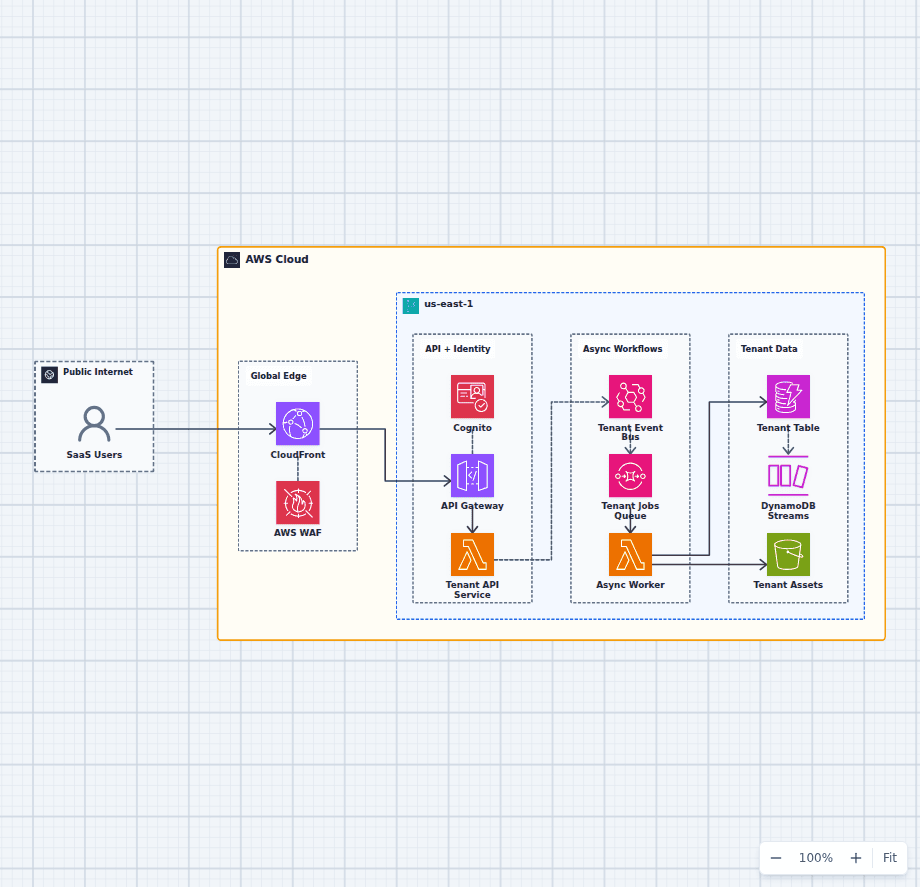
For a production website, prefer CloudFront in front of a private S3 bucket and use origin access controls. CloudFront adds HTTPS, caching, edge delivery, and a cleaner security boundary. A custom domain can come later through Route 53 and ACM.
Step 5: Open the AWS-provided URL
Use the website endpoint shown in the bucket properties. Share that URL while the demo is needed. If you only need one public image or document rather than an HTML site, an object URL can work, but the access policy still deserves the same care.
Cost controls
S3 charges can include storage, requests, data transfer, and optional features. A tiny low-traffic page is usually inexpensive, but "small" is not a billing guarantee. Delete test objects and buckets when finished, watch the budget, and investigate unexpected traffic.
CloudFront can reduce repeated origin requests and improve global delivery. It also has its own pricing dimensions.
When the page needs a backend
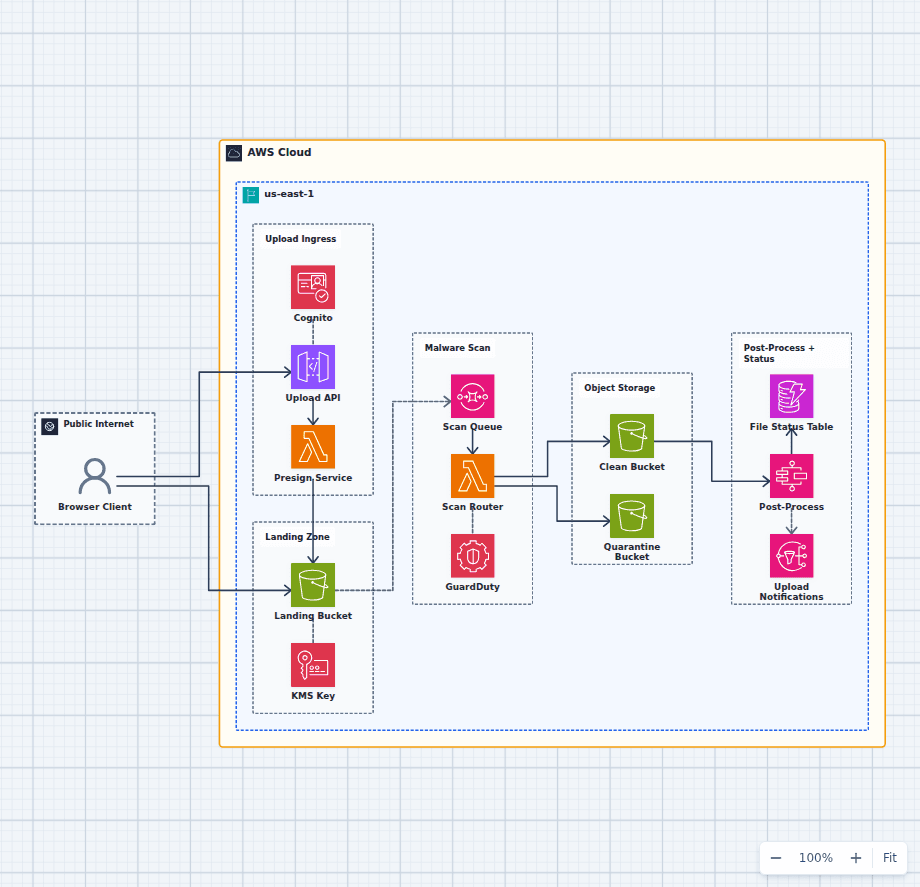
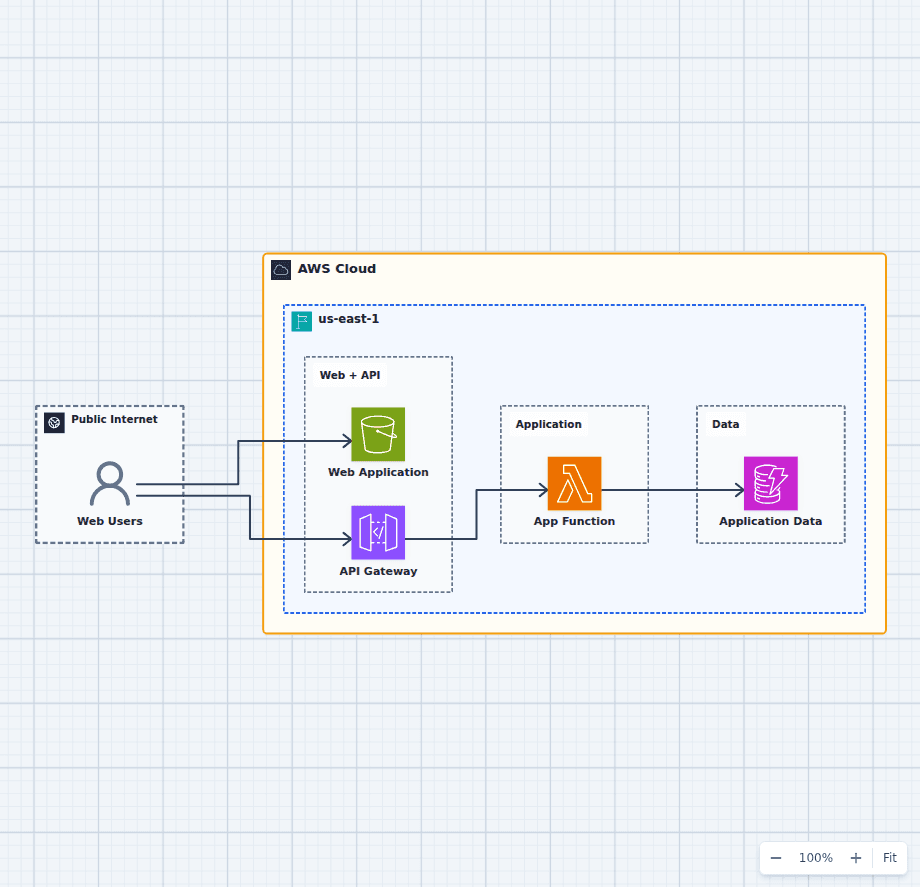
Keep the frontend static and add API Gateway, Lambda, and DynamoDB for a contact form or small API. The serverless REST API architecture shows that next step. The secure file upload pipeline is a safer pattern for accepting user files than making a general upload bucket public.
Once the site is online, use Website X-Ray's S3 and CloudFront static website SEO checklist for an outside-in review, then connect any visible performance, indexing, or security issue back to the AWS path serving it.
S3 website hosting is a useful fifteen-minute lesson. Production hosting deserves CloudFront, private origin access, HTTPS, monitoring, and a deliberate content deployment process.