
An AWS Application That Survives an Availability Zone Failure
A cross-AZ load balancer fronts application capacity in two Availability Zones with a Multi-AZ relational database.
Open editable diagramArchitecture diagram
Edit this exact diagram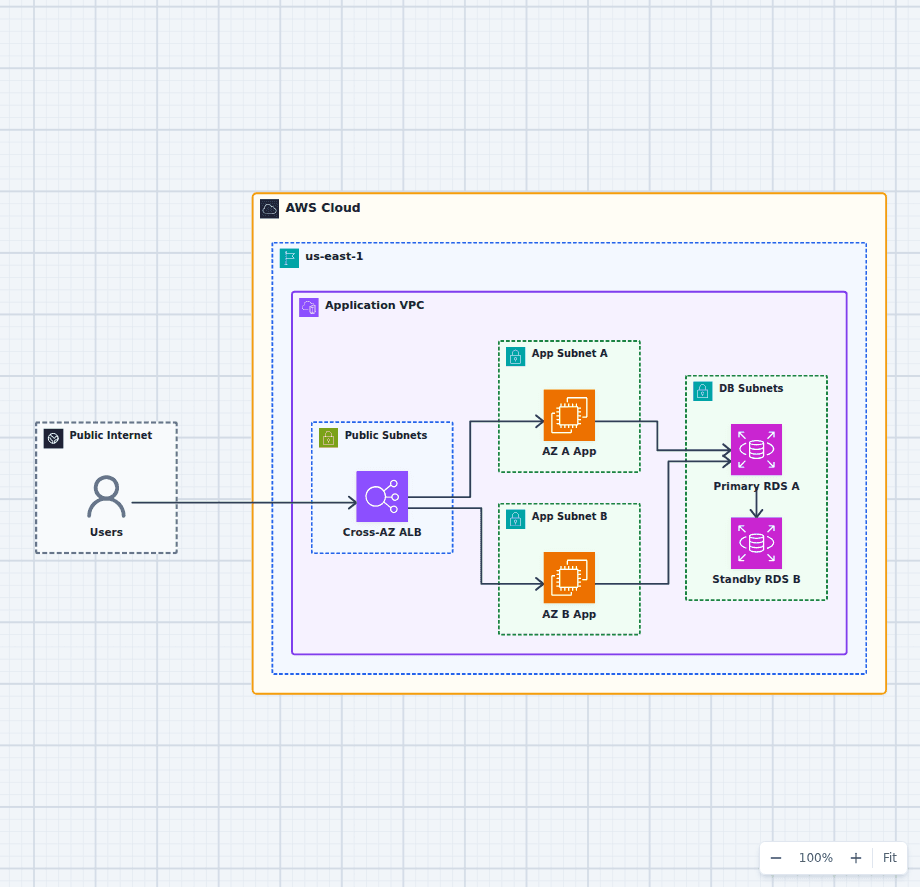 Open on the canvas
AWS Availability Zone failure architecture diagram with a cross-zone load balancer, application capacity in two AZs, and RDS Multi-AZ failover. The image links to a fully editable BuildPlane starter.
Overview
An Application Load Balancer distributes requests across application capacity in two Availability Zones. If one zone fails, health checks stop routing to its targets and capacity in the healthy zone continues serving traffic. Amazon RDS Multi-AZ fails over relational data to its synchronous standby.
Components
- Cross-AZ Load Balancer: Spans two public subnets and sends requests only to healthy application targets.
- AZ A Capacity: Runs a stateless copy of the application in the first Availability Zone.
- AZ B Capacity: Runs matching application capacity that remains available if AZ A fails.
- RDS Multi-AZ: Replicates from the primary to a synchronous standby and promotes that standby when the primary becomes unavailable.
Failure Flow
- Under normal conditions, the load balancer distributes traffic across both Availability Zones.
- If one zone fails, health checks stop routing requests to its application capacity.
- The surviving zone continues processing requests without changing the public endpoint.
- If the database primary was in the failed zone, RDS promotes the standby and restores the database endpoint.
Customize First
- Use Auto Scaling with a minimum healthy capacity in each Availability Zone.
- Test application retries and database reconnection during a zone failure.
- Add Route 53 or Global Accelerator only when regional failover is also required.
Related AWS guides
Understand the decisions behind this diagram
Use these practical explanations to compare services, failure boundaries, and operating tradeoffs before adapting the architecture.
Architecture
How to Design a Highly Available Web Application on AWS
High availability is not a product switch. It comes from removing single points of failure and proving the application can keep serving when a component or zone fails.
Read the guideArchitecture
Multi-Region AWS Architecture and Disaster Recovery Strategies
Multi-region design is a business continuity decision. The right pattern follows from recovery objectives, data behavior, operational maturity, and budget.
Read the guideAWS Certification
AWS Cloud Practitioner Practice Questions with Architecture Scenarios
These questions focus on the small words that change the answer: managed, durable, private, lowest effort, audit, estimate, and alert.
Read the guideDesign rationale
Decisions that shape this architecture
Maintain useful capacity in both zones
A second subnet is not resilience by itself. The surviving zone needs enough healthy application capacity to carry the expected degraded load.
Route on health, not location
The Application Load Balancer stops sending requests to failed targets while keeping the same public endpoint. Health checks must represent application readiness accurately.
Design clients for database failover
RDS can promote the standby, but applications still need sensible connection timeouts, retry behavior, and DNS refresh handling during the transition.
Before production
Operational checks
Run a controlled zonal-failure exercise and measure recovery behavior.
Confirm each Auto Scaling group can place and replace capacity across zones.
Test RDS failover while the application is receiving realistic traffic.
Verify queues, caches, and other stateful dependencies are also resilient.
Scope and tradeoffs
What this diagram does not solve
Multi-AZ is not multi-Region disaster recovery
Both Availability Zones are inside one Region. A regional outage requires another regional stack, replicated data, and controlled traffic failover.
Survival does not guarantee full capacity
The application can stay available while operating with reduced headroom. Define the acceptable degraded capacity and test scaling under that condition.
Common questions
Frequently asked questions
Can an AWS Region lose one Availability Zone?
Yes. Applications should treat an Availability Zone as a distinct failure domain and avoid placing all critical capacity or state in one zone.
Does an ALB automatically stop routing to a failed zone?
The ALB uses target health checks and routes to healthy registered targets. Correct health-check configuration is essential for useful failover behavior.
How is RDS Multi-AZ different from a read replica?
Multi-AZ provides a synchronous standby for availability. A read replica is primarily used for read scaling and has different replication and promotion behavior.
Keep exploring
Related AWS architectures
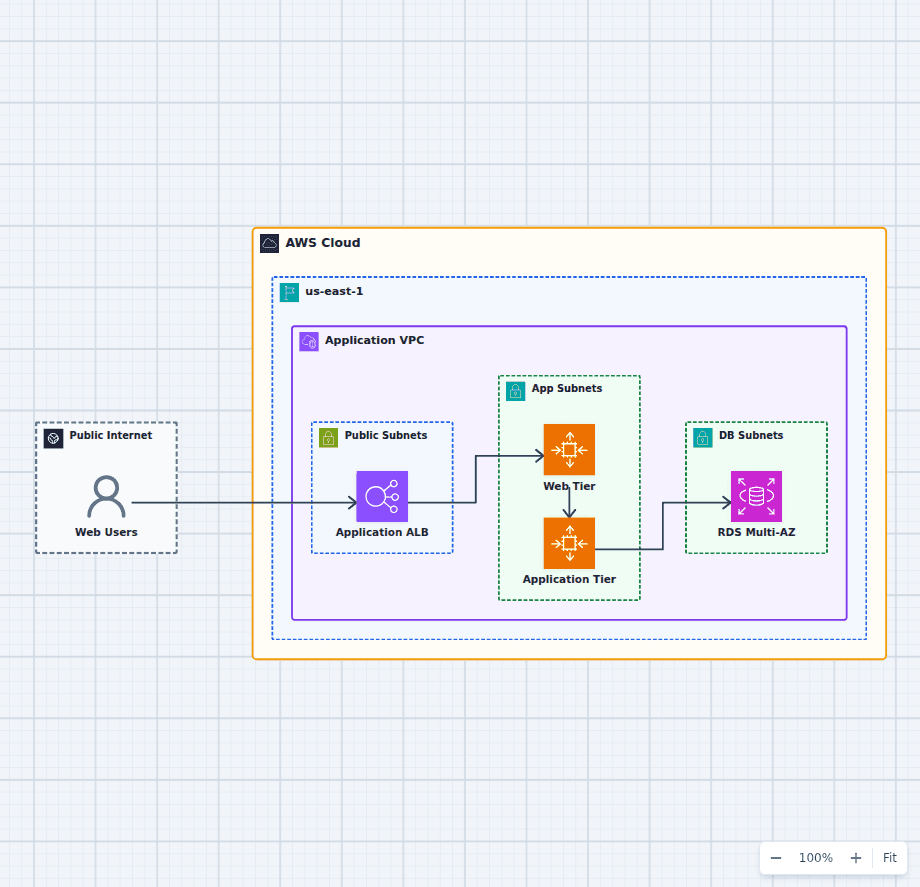
Highly Available Three-Tier Web Application on AWS
This starter architecture separates ingress, presentation, application logic, and relational data so each tier can fail and scale independently. It is a practical baseline for teams moving a conventional web application onto AWS without collapsing every responsibility into one server.
Explore the architecture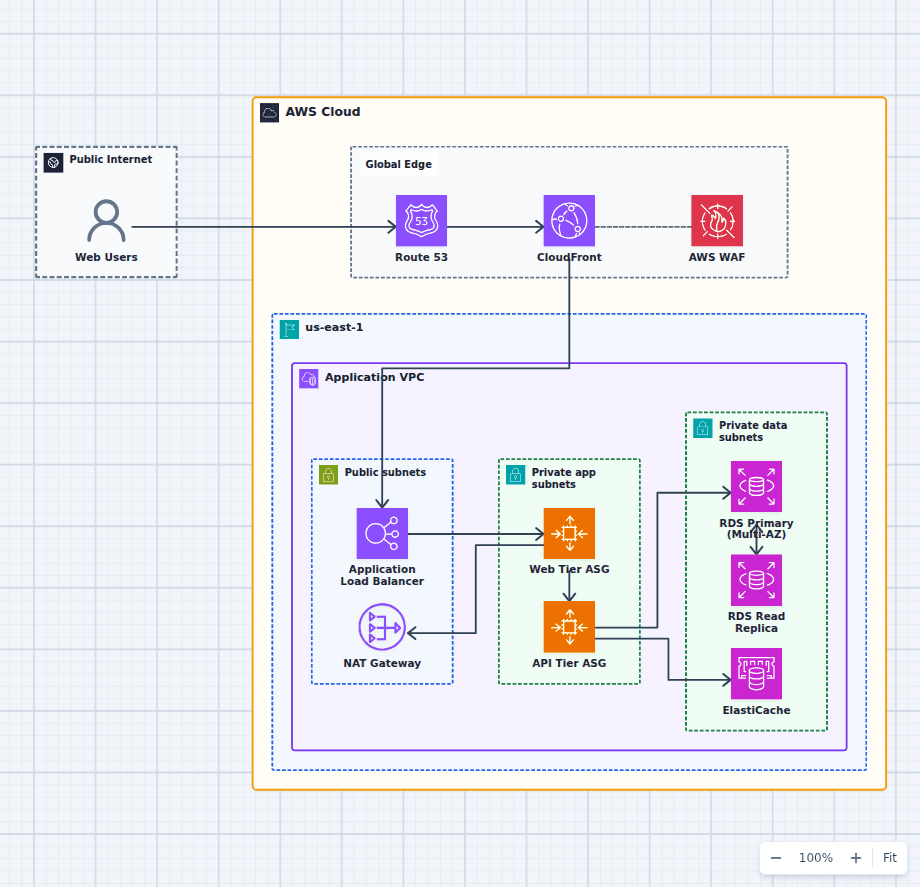
Production-Grade Highly Available Web Platform on AWS
This reference expands the three-tier baseline with a global edge, separate scaling domains, caching, read scaling, private egress, secrets, backups, and operations. It is intended for teams evaluating a conventional production web platform rather than a minimal learning diagram.
Explore the architecture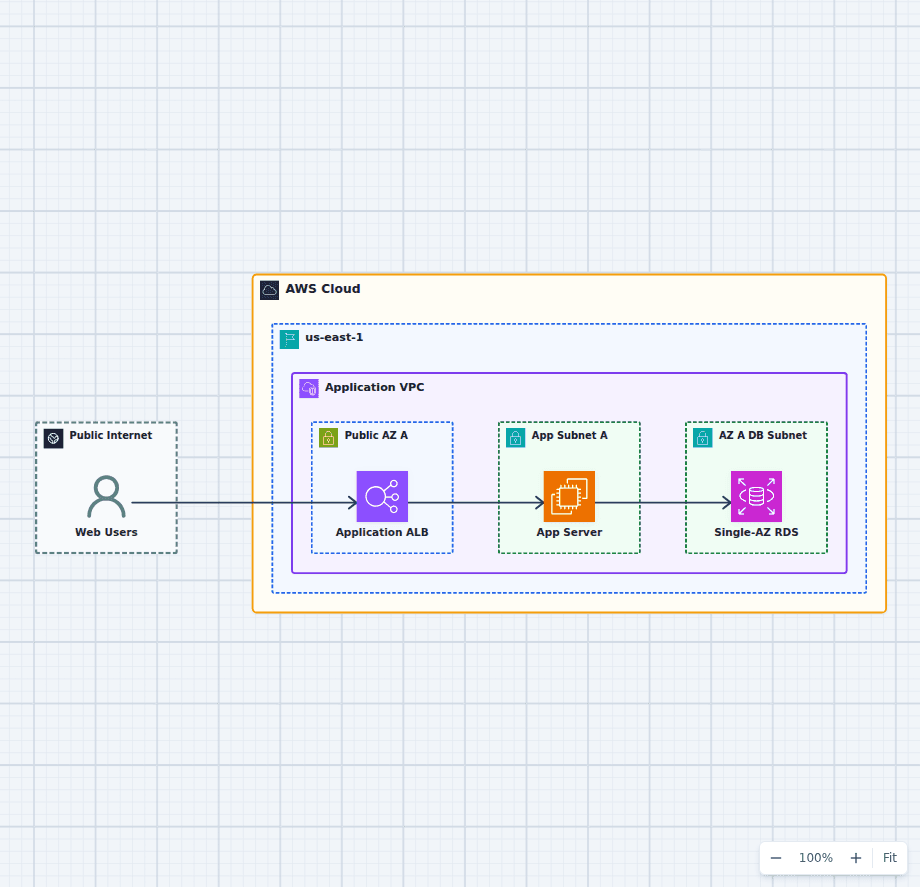
Architecture Review Practice: A Single-AZ AWS Web App
This diagram is deliberately incomplete. Its clean request path makes the risks easy to discuss: one application instance, a Single-AZ database, and no visible recovery or operational controls. Use it as a review exercise before opening the editable version and improving it.
Explore the architectureFrom reference to working draft
Adapt this architecture with your AWS AI Agent
Start from the exact diagram in this guide. Change requirements, challenge a decision, or ask what fails first, while keeping the architecture editable.