
Aurora Serverless v2 vs Provisioned Amazon RDS
Compare auto-scaling Aurora capacity with provisioned RDS instances for variable traffic, warm capacity, control, and cost.
Open editable diagramArchitecture diagram
Edit this exact diagram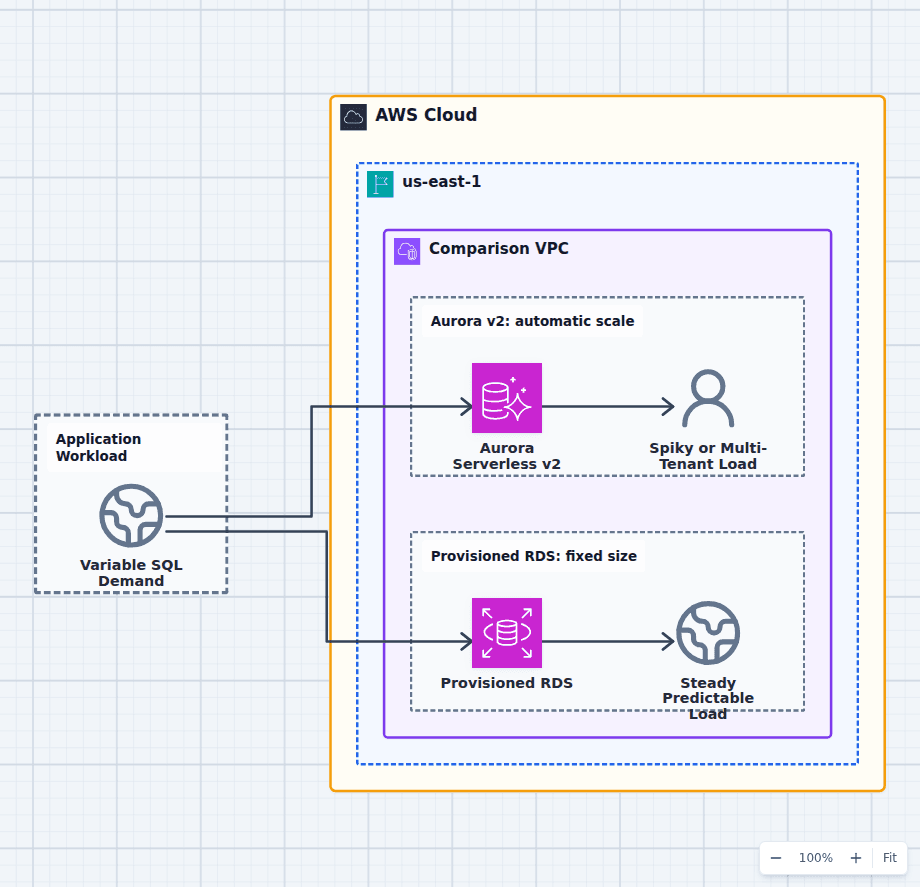 Open on the canvas
Aurora Serverless v2 vs provisioned RDS architecture diagram comparing fine-grained auto-scaling database capacity with a fixed database instance. The image links to a fully editable BuildPlane starter.
Overview
Aurora Serverless v2 adjusts database compute capacity within configured minimum and maximum Aurora Capacity Unit bounds without replacing the database endpoint. Provisioned RDS runs a selected database instance class until the team changes it. The decision is elastic fine-grained Aurora capacity versus explicit instance capacity and broader engine choice.
Components
- Shared decision context: A relational application with changing traffic, connection, and capacity requirements.
- Aurora Serverless v2: Aurora compute that scales within configured capacity bounds while connections remain available. Capacity follows variable demand without replacing a database instance class manually.
- Provisioned RDS: A selected database instance class with predictable baseline capacity and engine options. Stable demand that can keep reserved or provisioned capacity efficiently utilized.
Comparison Flow
- Variable SQL Demand can enter the Aurora Serverless v2 path and continue to Spiky or Multi-Tenant Load.
- Variable SQL Demand can instead enter the Provisioned RDS path and continue to Steady Predictable Load.
- Choose the path whose operating model and constraints match the workload, then delete the unused branch in the editable diagram.
Customize First
- Measure the minimum capacity that connection and cache behavior require.
- Compare capacity-hours over a real demand trace rather than peak size alone.
- Test scaling behavior during bursts and maintenance before committing.
Side-by-side decision
Aurora Serverless v2 vs Provisioned RDS
Use Serverless v2 when demand varies enough for fine-grained Aurora capacity scaling to create value. Use provisioned RDS for steady utilization, explicit instance properties, wider engine selection, or reserved-capacity economics.
| Decision factor | Aurora Serverless v2 | Provisioned RDS |
|---|---|---|
| Capacity | Scales ACUs within configured bounds | Chosen DB instance class |
| Engine | Supported Aurora MySQL or PostgreSQL modes | Broader RDS engine and version options |
| Demand fit | Variable, spiky, uncertain, multi-tenant | Steady and predictable |
| Connections | Endpoint remains; capacity still affects connection limits | Connection limit tied to instance characteristics |
| Cost | Capacity consumed over time, subject to minimum | Instance time with discount options |
| Control | Aurora-managed fine-grained scaling | Explicit CPU, memory, network, and instance family |
Related AWS guides
Understand the decisions behind this diagram
Use these practical explanations to compare services, failure boundaries, and operating tradeoffs before adapting the architecture.
Design rationale
Decisions that shape this architecture
The minimum is the real idle cost
Serverless v2 operates within configured bounds. Connection count, background activity, replicas, and engine settings can require a meaningful minimum. Model the observed capacity floor rather than assuming serverless means zero database cost.
Scaling compute does not fix every bottleneck
Slow queries, locks, hot rows, connection storms, poor indexes, and downstream limits remain. Automatic capacity can hide symptoms temporarily, so query and connection observability still matter.
Provisioned capacity rewards stable utilization
A predictable database can keep an instance efficiently busy and use discount commitments. It also gives engineers explicit instance memory, network, and CPU characteristics, which can simplify performance planning.
Before production
Operational checks
Record ACU utilization, connection count, cache behavior, and scale events over representative cycles.
Test latency during rapid scale-up and after quiet periods.
Set minimum and maximum capacity from service-level objectives and downstream limits.
Compare annual serverless capacity with provisioned instances and applicable commitments.
Scope and tradeoffs
What this diagram does not solve
Serverless v2 is still Aurora
It does not add Oracle, SQL Server, MariaDB, Db2, or arbitrary upstream engine support. Compatibility and Aurora architecture remain part of the choice.
Provisioned does not mean manual forever
Infrastructure automation, read replicas, scheduled changes, and storage autoscaling can reduce operational work. The difference is still coarser and more explicit than Serverless v2 capacity adjustment.
Common questions
Frequently asked questions
Does Aurora Serverless v2 scale to zero?
Supported engine versions and configurations can offer low or zero minimum capacity options, but availability and behavior vary. Validate the exact engine version, pause semantics, resume latency, and connection needs before designing around zero.
Is Aurora Serverless v2 always cheaper?
No. It can save money when demand varies substantially. A steady workload may cost less on a well-sized provisioned instance with commitments. Compare a real utilization trace.
Do connections survive scaling?
The endpoint remains stable and scaling is designed to be incremental, but connection capacity, pooling, transaction behavior, and application timeouts still need load and failover testing.
Keep exploring
Related AWS architectures
Amazon Aurora vs Standard Amazon RDS Engines
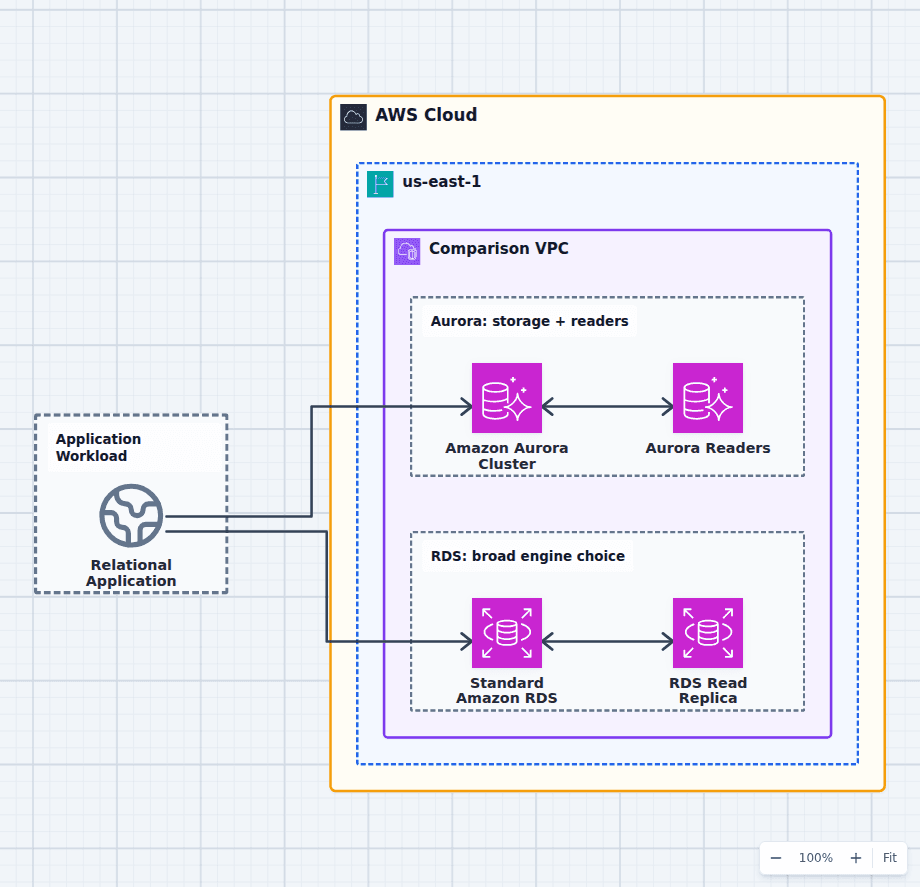
Choose Aurora when a MySQL- or PostgreSQL-compatible workload benefits from distributed cluster storage, rapid replica creation, reader endpoints, fast failover options, or Aurora-specific global and serverless features. Choose a standard RDS engine for exact engine compatibility, versions or licenses Aurora does not support, simpler steady workloads, or a lower-cost footprint at modest scale.
Explore the architecture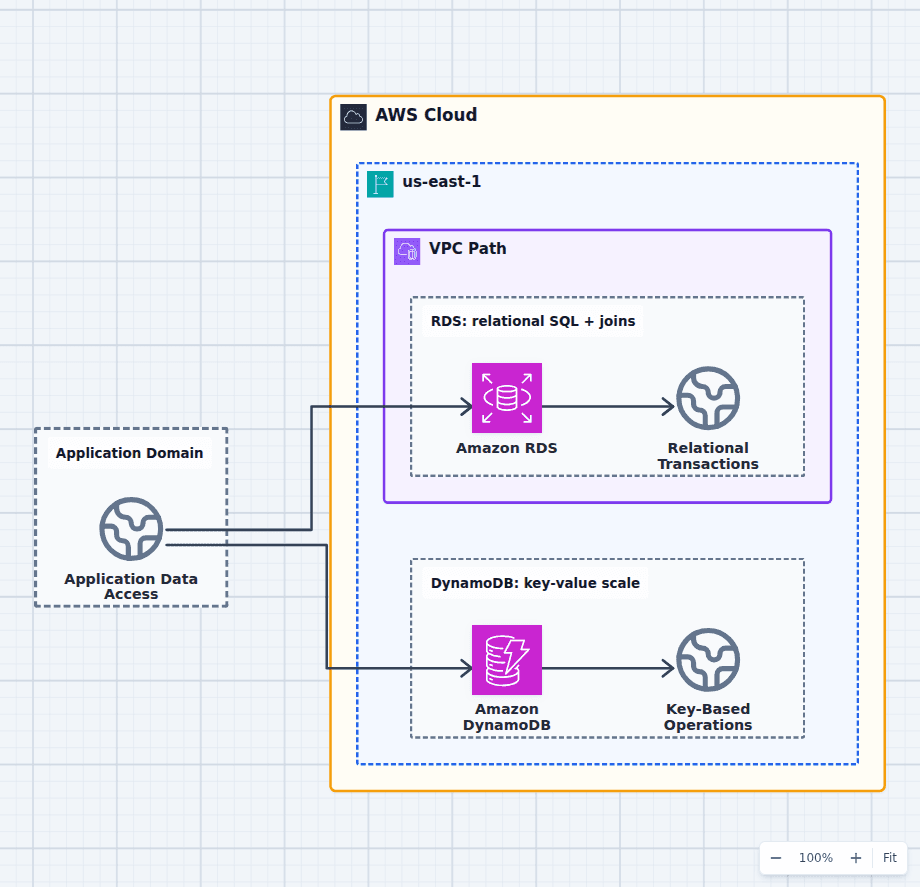
Amazon RDS vs Amazon DynamoDB
Choose RDS when relationships, SQL, joins, constraints, ad hoc queries, or broad transactional semantics are central. Choose DynamoDB when access patterns are known, key-based operations dominate, traffic can scale sharply, and serverless operations matter. Many systems use RDS for authoritative business transactions and DynamoDB for carts, sessions, idempotency, or high-scale lookup paths.
Explore the architecture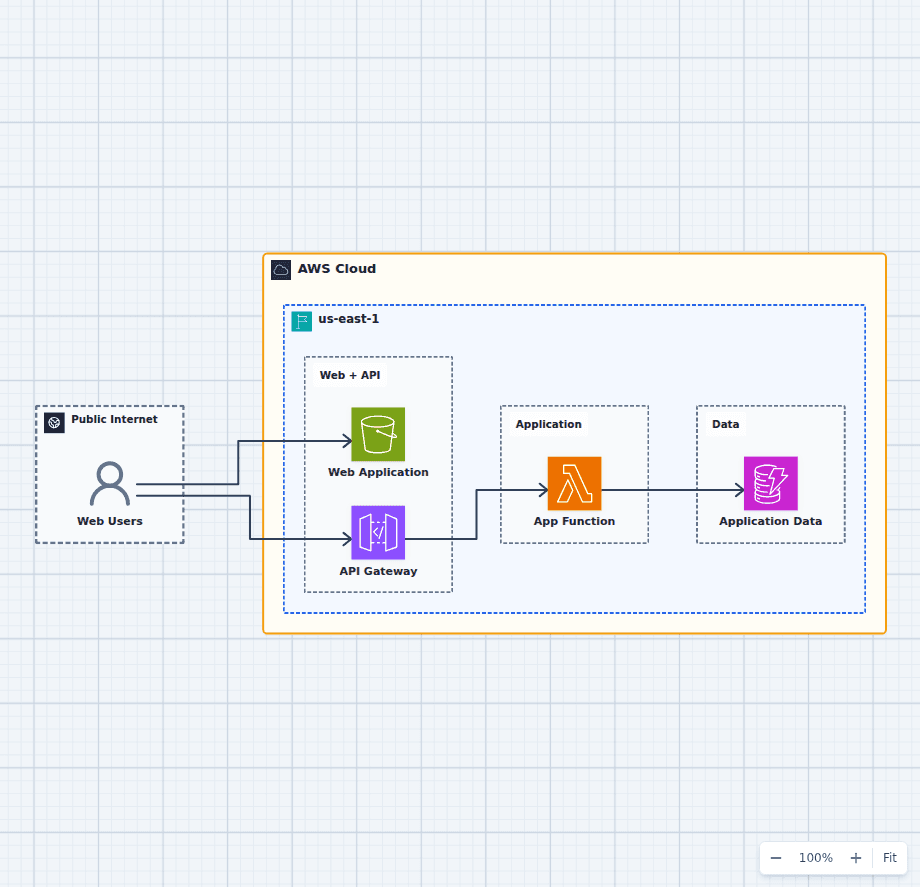
A Cost-Conscious AWS Architecture for a Startup Web App
This design minimizes always-on infrastructure while a product is finding its traffic pattern. Static assets live in S3, API Gateway and Lambda handle requests on demand, and DynamoDB starts with pay-per-request capacity.
Explore the architectureFrom reference to working draft
Adapt this architecture with your AWS AI Agent
Start from the exact diagram in this guide. Change requirements, challenge a decision, or ask what fails first, while keeping the architecture editable.