
Serverless Media Transcoding Workflow on AWS
Uploaded media triggers EventBridge and Step Functions to run MediaConvert jobs, store renditions in S3, and deliver them through CloudFront.
Open editable diagramArchitecture diagram
Edit this exact diagram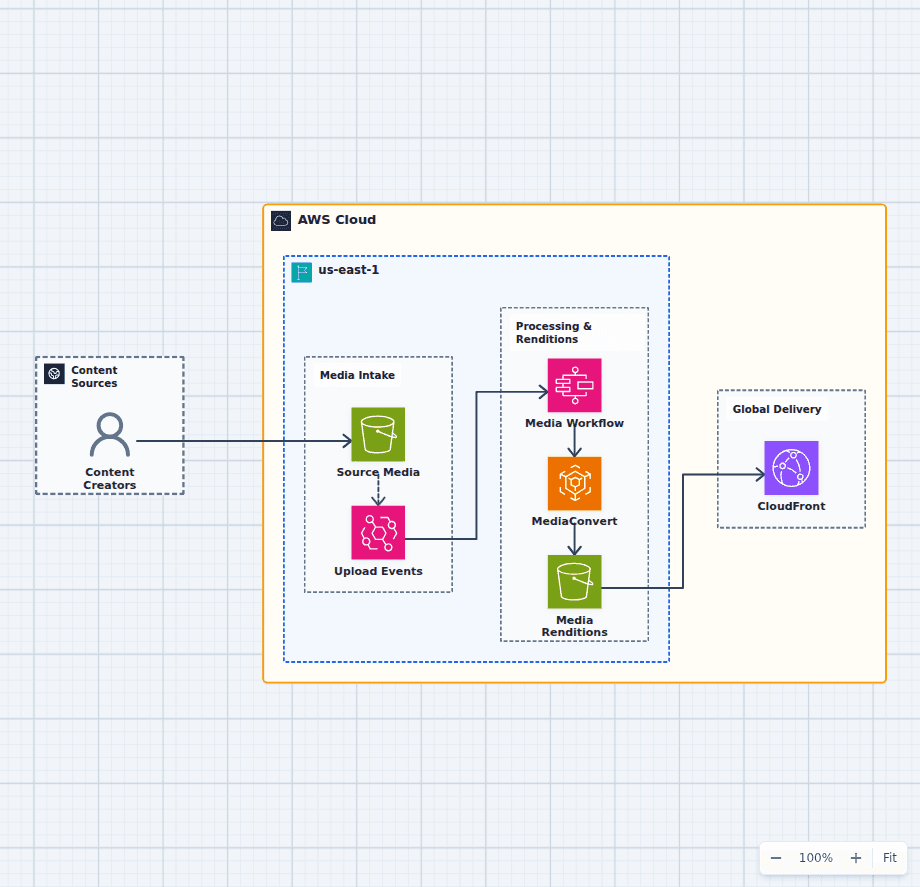 Open on the canvas
AWS media transcoding workflow diagram with S3, EventBridge, Step Functions, MediaConvert, output storage, and CloudFront. The image links to a fully editable BuildPlane starter.
Overview
Content creators upload original media to an S3 source bucket. EventBridge starts a Step Functions workflow that validates the request and tracks an AWS Elemental MediaConvert job. Finished renditions are stored in a separate S3 bucket and delivered through CloudFront.
Components
- S3 and EventBridge: Source uploads are durable before an event starts downstream processing.
- Step Functions and MediaConvert: The state machine controls validation, transcoding jobs, retries, and completion handling.
- Output S3 and CloudFront: Approved renditions remain durable in S3 and are cached globally for viewers.
Media Processing Flow
- A creator uploads original media to the source S3 bucket.
- EventBridge starts a Step Functions workflow that submits and tracks MediaConvert work.
- Finished renditions land in the output bucket and are delivered through CloudFront.
Customize First
- Define job templates for target devices, bitrates, captions, and thumbnails.
- Add quarantine and moderation steps before publishing untrusted uploads.
- Choose signed URLs or cookies when content access must be restricted.
Related AWS guides
Understand the decisions behind this diagram
Use these practical explanations to compare services, failure boundaries, and operating tradeoffs before adapting the architecture.
Design rationale
Decisions that shape this architecture
Make upload durable before processing
The source object reaches S3 before any workflow starts, so transient orchestration or transcoding failures do not require the creator to upload again.
Use workflow state for long-running jobs
Step Functions records progress, retries, and terminal outcomes around MediaConvert instead of keeping an HTTP request or function invocation open.
Separate originals from publishable renditions
Different buckets make retention, permissions, lifecycle, moderation, and CloudFront origin access easier to reason about.
Before production
Operational checks
Track upload age, workflow failures, MediaConvert queue time, and unsuccessful jobs.
Make event handling idempotent so duplicate upload events do not create duplicate work.
Validate output manifests, codecs, captions, thumbnails, and duration before publication.
Review S3 lifecycle, CloudFront cache behavior, signed access, and transfer cost.
Scope and tradeoffs
What this diagram does not solve
Live streaming needs a different service path
This workflow processes stored media asynchronously. Live ingest, packaging, and channel operations require a streaming-oriented architecture.
Content moderation is not shown
Products accepting untrusted uploads should add quarantine, malware checks, moderation, and publication approval before CloudFront delivery.
Common questions
Frequently asked questions
Why use Step Functions with MediaConvert?
Step Functions makes validation, job submission, waiting, retries, completion, and failure handling explicit for a long-running asynchronous process.
Why keep source and output media in separate buckets?
Separate stores support different access policies, retention rules, lifecycle settings, event notifications, and publication controls.
Can CloudFront restrict access to media?
Yes. Use origin access controls plus signed URLs or signed cookies when only authorized viewers should receive renditions.
Keep exploring
Related AWS architectures
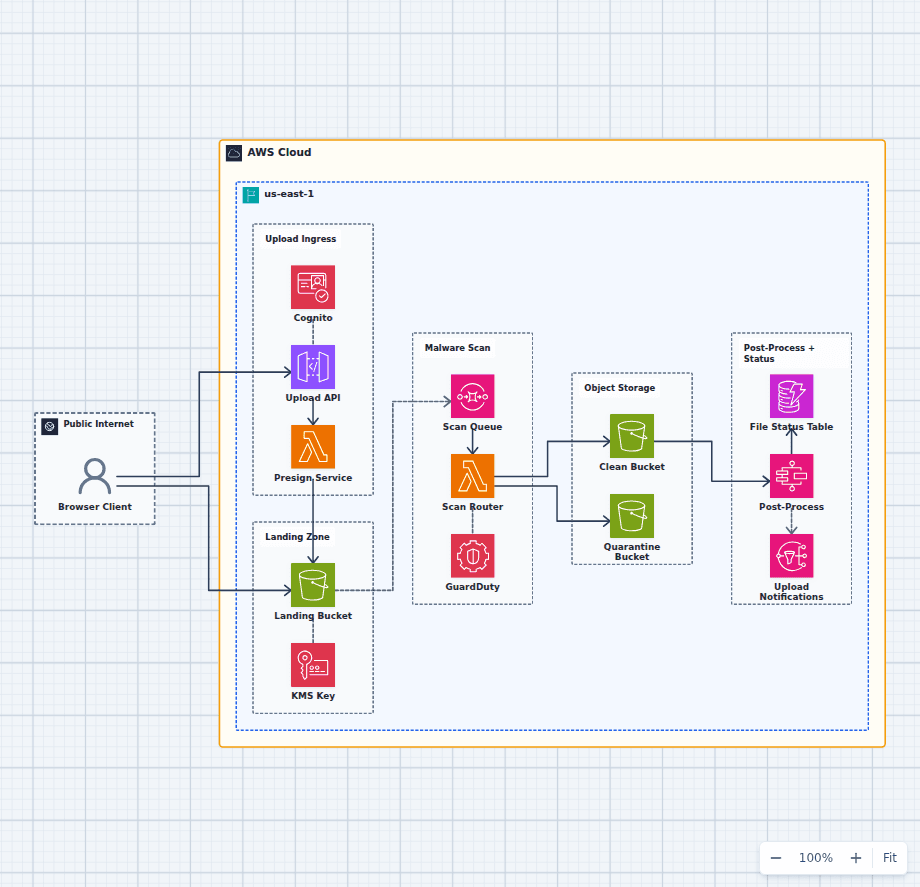
Secure File Upload and Malware-Scanning Pipeline on AWS
This architecture keeps large upload bytes out of the API, lands every object in an encrypted trust boundary, scans before promotion, quarantines suspicious files, and exposes processing status to the application. It is a security-focused workflow rather than a generic upload shortcut.
Explore the architecture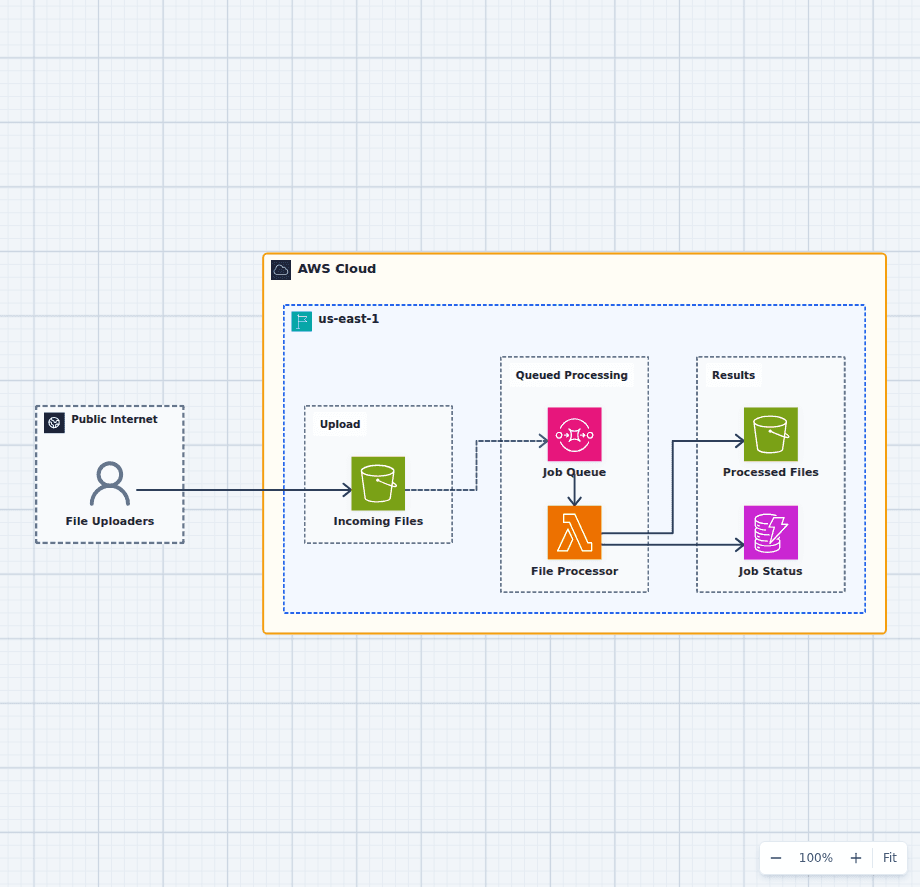
Asynchronous File Processing Pipeline on AWS
This design accepts uploads immediately and lets workers process them at a controlled rate. S3 protects the source file, SQS absorbs bursts and retries, Lambda performs bounded work, and separate result and status stores make completion observable.
Explore the architecture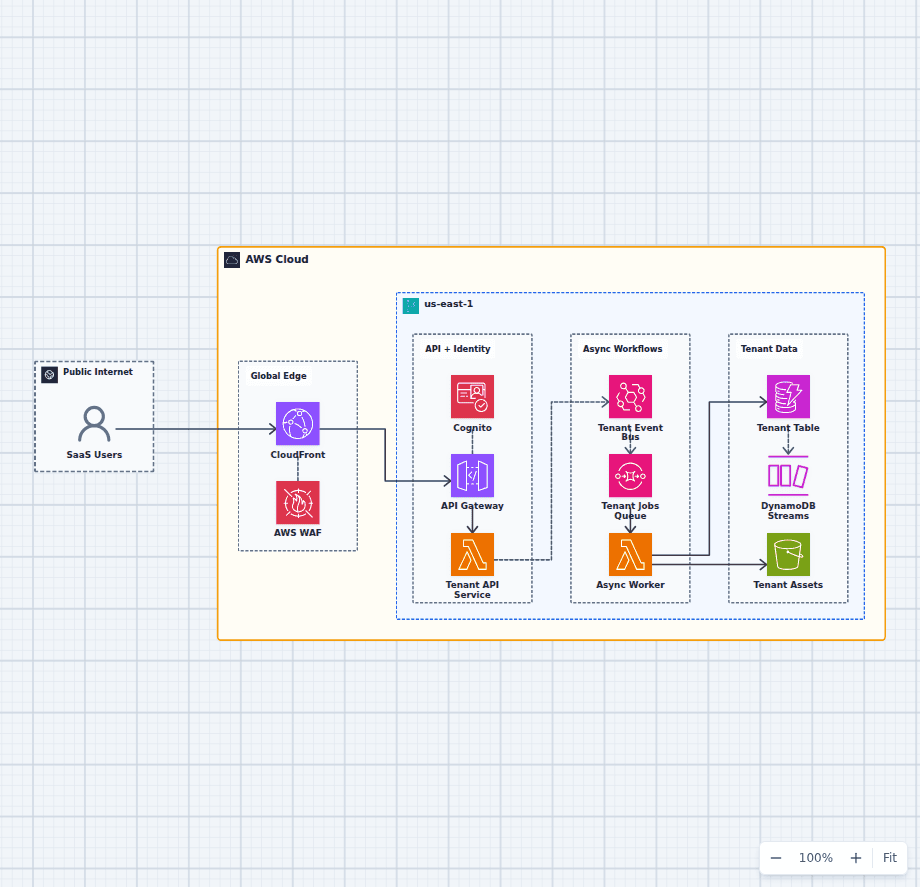
Serverless Multi-Tenant SaaS Architecture on AWS
This architecture combines a protected synchronous API with a durable asynchronous work path. Tenant identity travels from Cognito into application authorization, domain events decouple background work, and DynamoDB plus S3 provide scalable tenant state and assets.
Explore the architectureFrom reference to working draft
Adapt this architecture with your AWS AI Agent
Start from the exact diagram in this guide. Change requirements, challenge a decision, or ask what fails first, while keeping the architecture editable.