
Amazon S3 vs Amazon EFS
Compare object storage accessed by API with a shared POSIX file system for semantics, scale, latency, access, and pricing.
Open editable diagramArchitecture diagram
Edit this exact diagram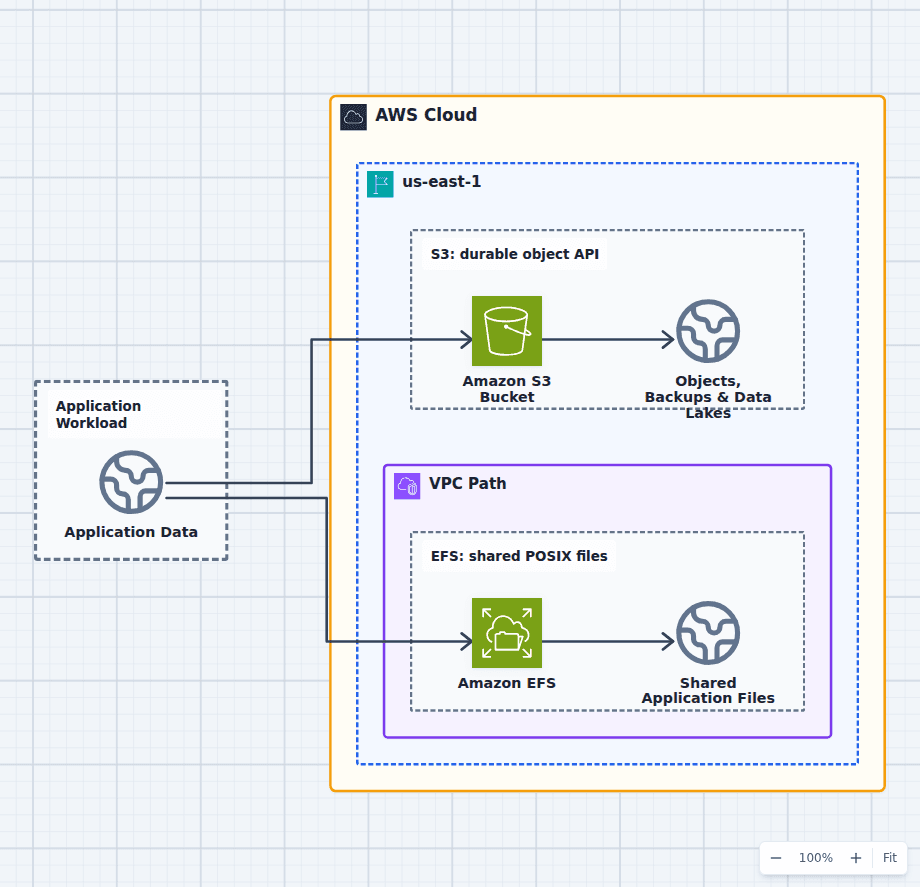 Open on the canvas
Amazon S3 vs EFS architecture diagram comparing object storage for backups and data lakes with a shared POSIX file system for application compute. The image links to a fully editable BuildPlane starter.
Overview
Amazon S3 stores objects addressed by bucket and key through an API. Amazon EFS exposes a shared NFS file system with directories, metadata, permissions, locks, and in-place file operations. S3 is the default for durable blobs and data at massive scale; EFS exists for compute that genuinely needs concurrent POSIX file access.
Components
- Shared decision context: Files and objects whose access semantics should determine the storage service.
- Amazon S3 Bucket: Stores immutable or replaceable objects addressed by bucket and key through an API. Durable content, logs, analytics data, artifacts, and static assets.
- Amazon EFS: A managed shared file system mounted concurrently over NFS from VPC compute. Directories, file locks, partial updates, and applications expecting POSIX paths.
Comparison Flow
- Application Data can enter the Amazon S3 Bucket path and continue to Objects, Backups & Data Lakes.
- Application Data can instead enter the Amazon EFS path and continue to Shared Application Files.
- Choose the path whose operating model and constraints match the workload, then delete the unused branch in the editable diagram.
Customize First
- Inventory rename, locking, append, and partial-write behavior before choosing.
- Apply lifecycle tiers and retention policies to the actual access pattern.
- Use S3 for durable objects and EFS only for the filesystem-dependent portion when both are needed.
Side-by-side decision
Amazon S3 vs Amazon EFS
Use S3 unless the application needs real shared filesystem semantics. Use EFS when multiple Linux clients must mount and mutate one POSIX directory tree.
| Decision factor | Amazon S3 | Amazon EFS |
|---|---|---|
| Model | Objects in buckets by key | Files and directories in a POSIX filesystem |
| Access | HTTPS API and SDK | NFS mount from connected compute |
| Mutation | Create, replace, copy, or delete objects | In-place reads, writes, locks, rename, metadata |
| Sharing | Any authorized API client | Concurrent mounted filesystem clients |
| Scale | Massive object namespace and throughput | Elastic regional filesystem with throughput modes |
| Typical use | Blobs, backups, logs, media, data lakes | Shared app files, home directories, CMS, legacy POSIX apps |
Related AWS guides
Understand the decisions behind this diagram
Use these practical explanations to compare services, failure boundaries, and operating tradeoffs before adapting the architecture.
Design rationale
Decisions that shape this architecture
Semantics come before benchmarks
An application that renames directories, locks files, appends in place, or expects a mounted path is file-system-shaped. An application that writes immutable versions and retrieves them by identifier is object-shaped. Choosing the wrong semantic model creates correctness bugs before performance problems.
S3 separates storage from compute cleanly
Any authorized service can read an object without mounting a network filesystem, and lifecycle policies can move data across storage classes. That makes S3 a strong durable system for artifacts and datasets independent of the compute fleet.
EFS provides shared state with network-filesystem tradeoffs
Many instances, containers, and functions can mount one file system across Availability Zones. That convenience introduces filesystem throughput, metadata, mount target, permission, and small-file behavior that must be tested with the application.
Before production
Operational checks
Inventory filesystem calls, locks, renames, append behavior, and consistency expectations.
Test latency and throughput with representative object or file sizes and concurrency.
Configure lifecycle, backup, encryption, retention, and access policies.
Use EFS mount targets and security groups in every Availability Zone that runs clients.
Scope and tradeoffs
What this diagram does not solve
Neither is local scratch storage
Temporary high-speed working data may fit instance storage, EBS, or task ephemeral storage better. Durable regional storage can be unnecessary overhead for disposable intermediates.
S3 adapters do not create full POSIX behavior
A FUSE mount can make S3 look like a directory, but rename, locking, metadata, write, latency, and concurrency behavior still differ. Validate every operation the application relies on.
Common questions
Frequently asked questions
Can EC2 mount S3 like a filesystem?
Tools can present S3 through a mount interface, but S3 remains object storage and does not become a general POSIX filesystem. Use EFS when filesystem semantics are required.
Is S3 cheaper than EFS?
S3 storage is often much less expensive for durable objects and has extensive lifecycle tiers. Request, retrieval, transfer, throughput, and access patterns can change the result, so price the complete workload.
Can Lambda use EFS?
Yes. A VPC-connected Lambda function can mount EFS through configured access points and mount targets. That adds network and cold-start considerations compared with direct S3 API calls.
Keep exploring
Related AWS architectures
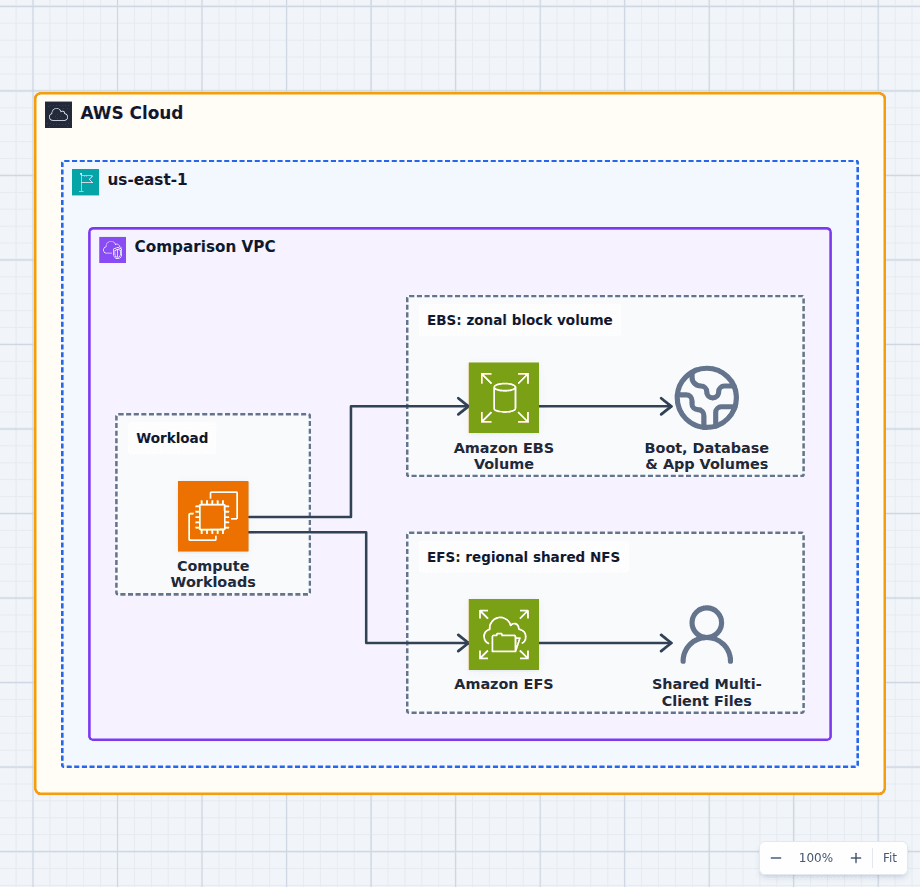
Amazon EBS vs Amazon EFS
Choose EBS when one instance or compatible attachment set needs low-latency block storage with explicit volume performance. Choose EFS when many Linux instances, ECS tasks, EKS pods, or Lambda functions need the same files across Availability Zones. Availability scope alone is not enough: the application attachment model, filesystem ownership, I/O size, metadata operations, and failure behavior should decide.
Explore the architecture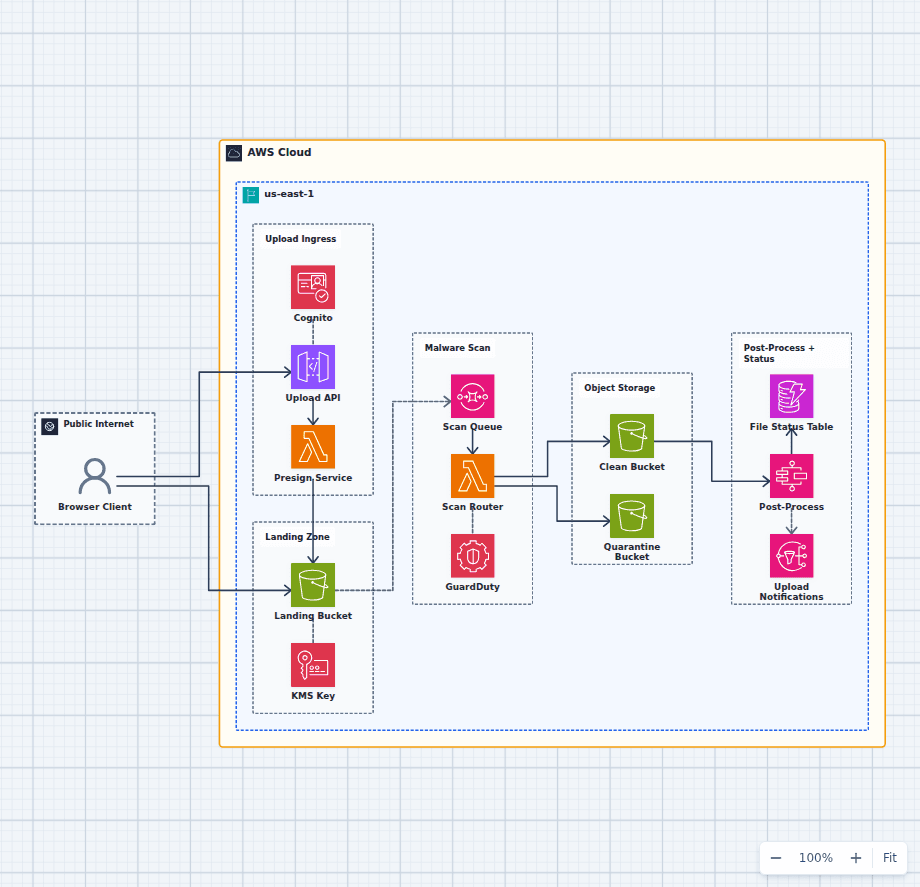
Secure File Upload and Malware-Scanning Pipeline on AWS
This architecture keeps large upload bytes out of the API, lands every object in an encrypted trust boundary, scans before promotion, quarantines suspicious files, and exposes processing status to the application. It is a security-focused workflow rather than a generic upload shortcut.
Explore the architecture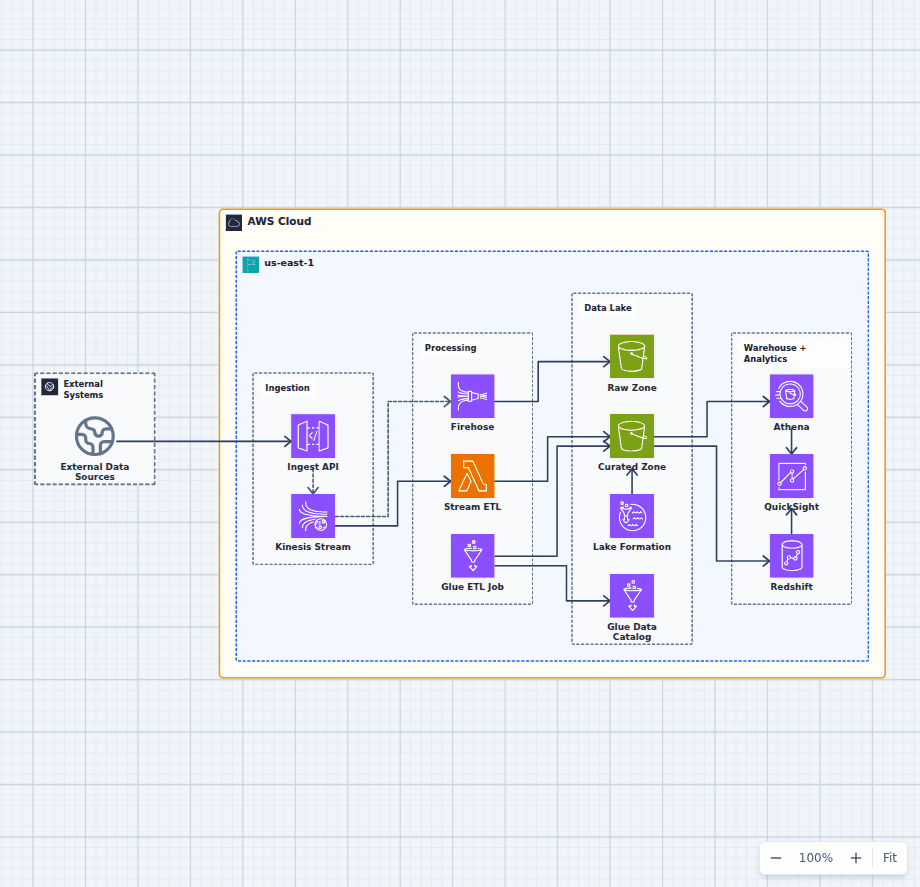
Governed Data Lake and Analytics Platform on AWS
This architecture supports both near-real-time processing and batch-oriented curation. Kinesis fans data into a fast Lambda path and a Firehose landing path, Glue creates query-ready datasets, and Lake Formation applies governance across Athena, Redshift, and QuickSight.
Explore the architectureFrom reference to working draft
Adapt this architecture with your AWS AI Agent
Start from the exact diagram in this guide. Change requirements, challenge a decision, or ask what fails first, while keeping the architecture editable.