
Machine Learning Batch Inference Platform on AWS
Scheduled or on-demand batch inference orchestrated by EventBridge and Step Functions over AWS Batch, with a SageMaker model registry, ECR images, S3 input/output, a DynamoDB run index, and Athena result queries.
Open editable diagramArchitecture diagram
Edit this exact diagram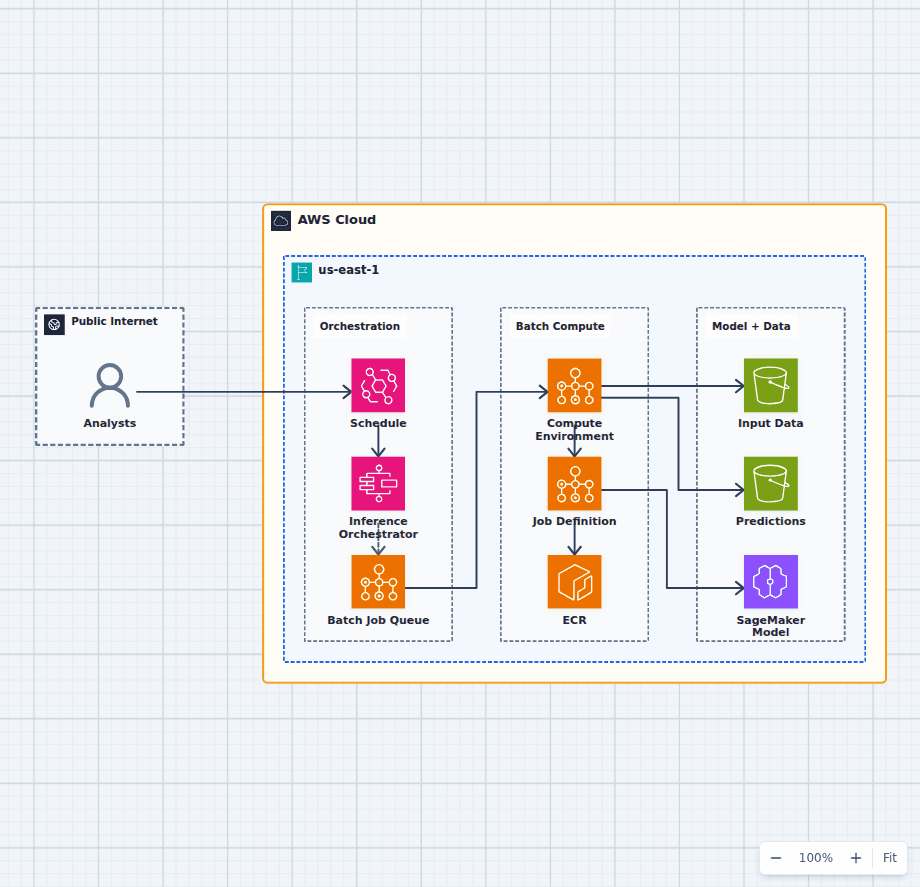 Open on the canvas
AWS machine learning batch inference architecture diagram with EventBridge, Step Functions, AWS Batch, ECR, SageMaker model registry, S3 input and output, and Athena. The image links to a fully editable BuildPlane starter.
Overview
Amazon EventBridge starts a Step Functions workflow for scheduled or on-demand scoring. The workflow submits containerized inference jobs to AWS Batch, using an image from Amazon ECR and an approved model from the SageMaker Model Registry. Input datasets and scored predictions remain in Amazon S3 for reproducibility and downstream analysis.
Components
- Orchestration: EventBridge triggers a Step Functions flow that queues jobs in AWS Batch.
- Batch Compute: A managed compute environment runs job definitions from ECR images.
- Model + Data: Jobs load an approved SageMaker model and read input datasets and write predictions in S3.
Inference Flow
- A schedule or an analyst triggers EventBridge, which starts the Step Functions orchestrator.
- The orchestrator submits a job to the AWS Batch queue and compute environment.
- The compute environment runs the job definition, which pulls the image from ECR and loads the approved model.
- The job reads input datasets from S3 and writes scored predictions back to S3.
- Downstream tools query the prediction outputs (e.g. with Athena) as needed.
Customize First
- Swap AWS Batch for SageMaker Batch Transform or Processing Jobs if you prefer managed ML compute.
- Add data-quality and model-drift checks before promoting predictions.
- Introduce a feature store and lineage tracking for reproducibility.
Related AWS guides
Understand the decisions behind this diagram
Use these practical explanations to compare services, failure boundaries, and operating tradeoffs before adapting the architecture.
Design rationale
Decisions that shape this architecture
Orchestrate the run as durable state
Step Functions records submission, waiting, success, and failure transitions. The workflow can retry control operations without hiding job status in one long-running process.
Version the model, image, and dataset together
A useful prediction record identifies the exact model artifact, container digest, input snapshot, configuration, and code used to produce it.
Choose compute for the batch shape
AWS Batch fits containerized jobs with variable CPU, memory, duration, or accelerator needs. SageMaker Batch Transform may fit teams wanting a more managed ML-specific execution path.
Before production
Operational checks
Validate input schema and data quality before consuming expensive compute.
Record lineage from source dataset through model version to output prefix.
Set retry rules that distinguish infrastructure failures from bad input.
Monitor queue age, job duration, failure rate, and prediction-quality drift.
Scope and tradeoffs
What this diagram does not solve
Batch output is not an online serving endpoint
Use a real-time inference service when applications need per-request predictions. Batch is optimized for throughput and scheduled completion.
Model approval does not guarantee data fitness
A validated model can still produce poor results when source distributions change. Data-quality checks and drift monitoring remain part of the platform.
Common questions
Frequently asked questions
Why use AWS Batch for inference?
AWS Batch schedules container jobs onto managed compute environments and is useful when scoring jobs need flexible resources or longer execution than functions provide.
When should SageMaker Batch Transform be used instead?
Use it when a managed SageMaker inference workflow fits the model packaging, input format, and operations model better than a custom batch container.
How can batch predictions be queried?
Write partitioned results to S3, catalog the output when needed, and query it with Athena or load it into the serving store used by downstream applications.
Keep exploring
Related AWS architectures
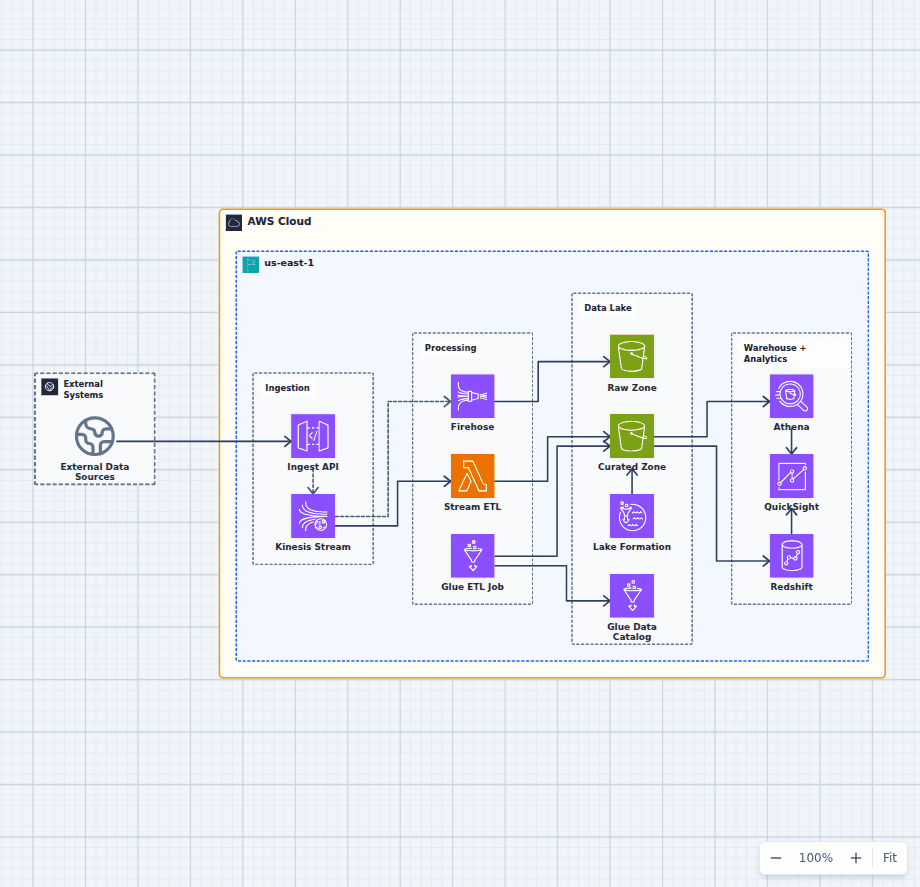
Governed Data Lake and Analytics Platform on AWS
This architecture supports both near-real-time processing and batch-oriented curation. Kinesis fans data into a fast Lambda path and a Firehose landing path, Glue creates query-ready datasets, and Lake Formation applies governance across Athena, Redshift, and QuickSight.
Explore the architecture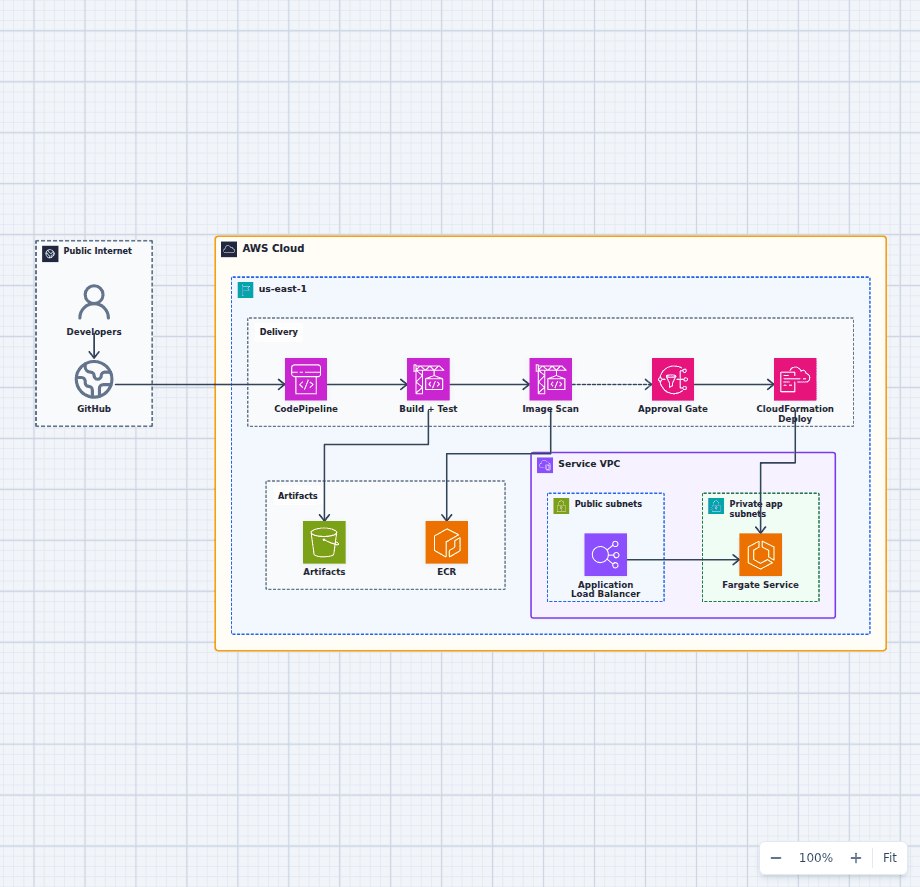
CI/CD Pipeline to Amazon ECS Fargate
This delivery architecture turns a source change into a tested, scanned, approved, and deployed Fargate release. It keeps build artifacts and container images distinct, makes the production approval visible, and delegates infrastructure updates to CloudFormation.
Explore the architecture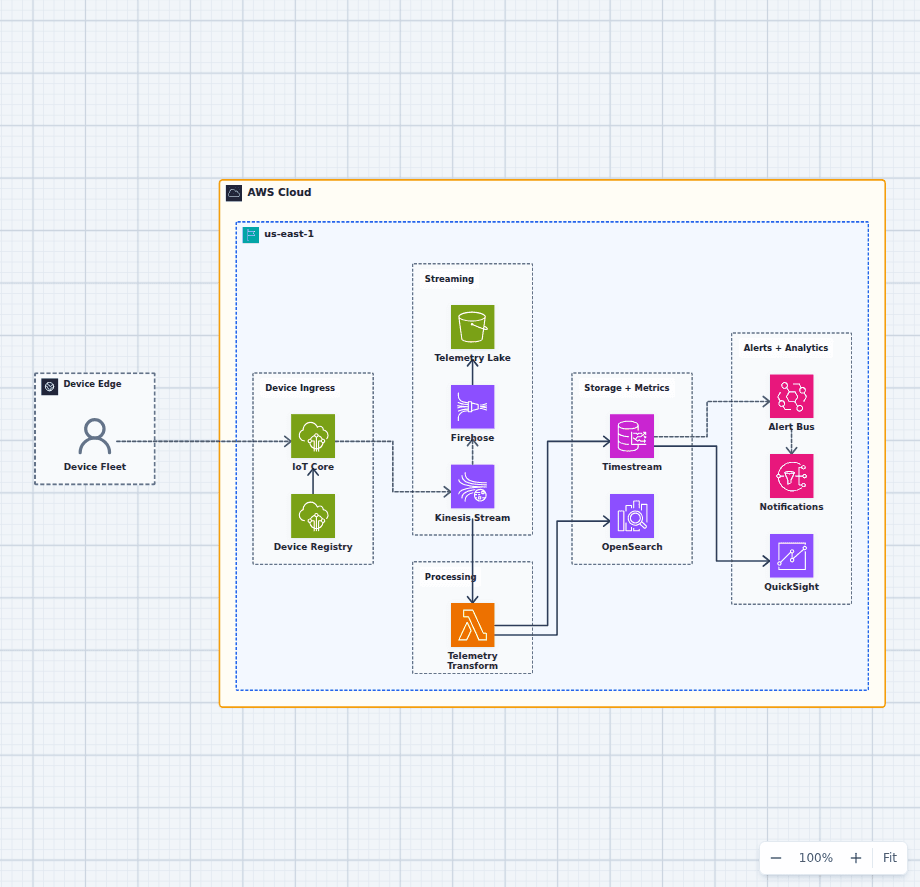
IoT Telemetry and Analytics Platform on AWS
This architecture authenticates a device fleet, buffers telemetry, preserves raw events, derives searchable and time-series views, raises operational alerts, and presents fleet trends. Each storage path serves a distinct access pattern instead of treating one database as universal.
Explore the architectureFrom reference to working draft
Adapt this architecture with your AWS AI Agent
Start from the exact diagram in this guide. Change requirements, challenge a decision, or ask what fails first, while keeping the architecture editable.