
AWS Step Functions vs Amazon SQS
Compare explicit workflow orchestration with durable work queues for sequencing, retries, visibility, backpressure, and workers.
Open editable diagramArchitecture diagram
Edit this exact diagram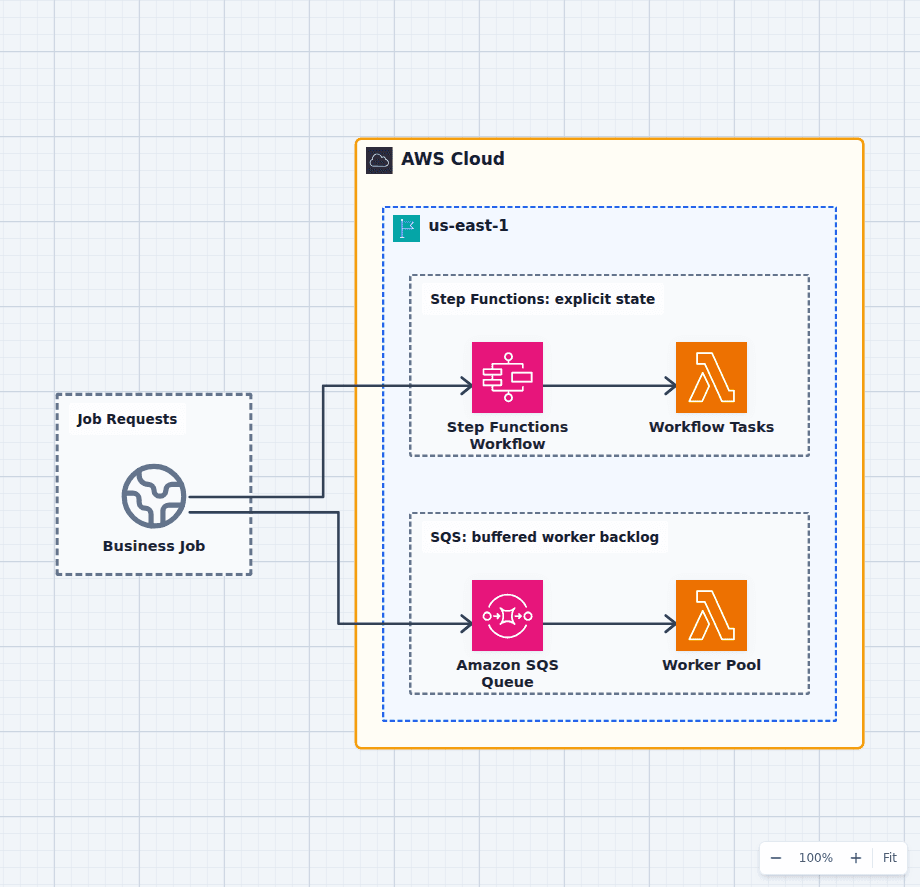 Open on the canvas
AWS Step Functions vs SQS architecture diagram comparing an explicit state machine invoking workflow tasks with a durable queue feeding a worker pool. The image links to a fully editable BuildPlane starter.
Overview
AWS Step Functions records and executes an explicit state machine with ordered tasks, choices, waits, parallel branches, retries, catches, and execution history. Amazon SQS stores independent messages until workers can process them. A workflow coordinates what must happen next; a queue buffers how much work is waiting.
Components
- Shared decision context: A request that either needs a visible sequence or a buffered unit of work.
- Step Functions Workflow: Records state transitions and coordinates retries, waits, branches, and compensation. Ordered service integrations and functions invoked by named workflow states.
- Amazon SQS Queue: Stores independent work until consumer capacity is ready. Horizontally scaled consumers process messages without a central workflow state.
Comparison Flow
- Business Job can enter the Step Functions Workflow path and continue to Workflow Tasks.
- Business Job can instead enter the Amazon SQS Queue path and continue to Worker Pool.
- Choose the path whose operating model and constraints match the workload, then delete the unused branch in the editable diagram.
Customize First
- Set retry and catch policies around errors the business can actually recover from.
- Add a queue inside a workflow when a step must absorb unbounded downstream demand.
- Define execution-history retention and message redrive ownership before production.
Side-by-side decision
AWS Step Functions vs Amazon SQS
Use Step Functions when the sequence and state transitions must be explicit. Use SQS when independent work needs durable buffering and consumer-controlled pace. Combine them when a workflow step must absorb a variable backlog.
| Decision factor | AWS Step Functions | Amazon SQS |
|---|---|---|
| Primary job | Coordinate states and services | Buffer messages for consumers |
| State | Execution state and history are explicit | Message visibility and receive state only |
| Control flow | Choices, parallelism, map, waits, callbacks | Consumer code decides what happens next |
| Retries | Per-state retry and catch policies | Visibility timeout, receive count, DLQ redrive |
| Backpressure | Concurrency controls, not an unbounded worker backlog | Queue depth absorbs producer demand |
| Visibility | Per-execution graph and state history | Aggregate backlog and message metrics |
Related AWS guides
Understand the decisions behind this diagram
Use these practical explanations to compare services, failure boundaries, and operating tradeoffs before adapting the architecture.
Design rationale
Decisions that shape this architecture
Business sequence belongs in a state machine
When payment must precede fulfillment, a manual callback can pause for days, or failure requires compensation, burying the sequence across workers and queue names makes the system hard to reason about. A workflow makes those transitions inspectable.
A queue protects consumer capacity
SQS lets producers continue during bursts while workers scale within downstream limits. A state machine can control parallel work, but a queue is the clearer model when the important signal is backlog age and the jobs are interchangeable.
Retries need idempotent effects in both paths
Step Functions can retry a failed state and SQS can deliver a message more than once. Neither service makes a charge, email, write, or deployment safe to repeat automatically. Idempotency keys remain an application responsibility.
Before production
Operational checks
Set timeouts, retries, catches, and terminal failure paths explicitly.
Set SQS visibility timeout, redrive count, DLQ alarms, and worker concurrency.
Test duplicate delivery and workflow replay against side effects.
Estimate state transitions, requests, wait behavior, and retained execution volume.
Scope and tradeoffs
What this diagram does not solve
One does not replace the other
A Step Functions execution is not a general-purpose queue, and an SQS message does not explain a multi-step process. Trying to force either service into both roles hides operational signals.
Workflow history can carry sensitive data
Control payload size, logging, and execution data so secrets and personal information do not become broadly visible in orchestration history.
Common questions
Frequently asked questions
Can Step Functions send work to SQS?
Yes. Native service integrations can send an SQS message, and callback patterns can wait for a task token when an external worker must report completion.
Is SQS enough for a multi-step workflow?
It can be, but the state and sequence live in consumer code and additional storage. Use Step Functions when making that coordination explicit improves correctness, visibility, or change safety.
Which service handles backpressure better?
SQS is purpose-built as a durable backlog whose age and depth drive consumer scaling. Step Functions controls execution concurrency but is primarily an orchestrator.
Keep exploring
Related AWS architectures
Amazon SQS vs Amazon SNS
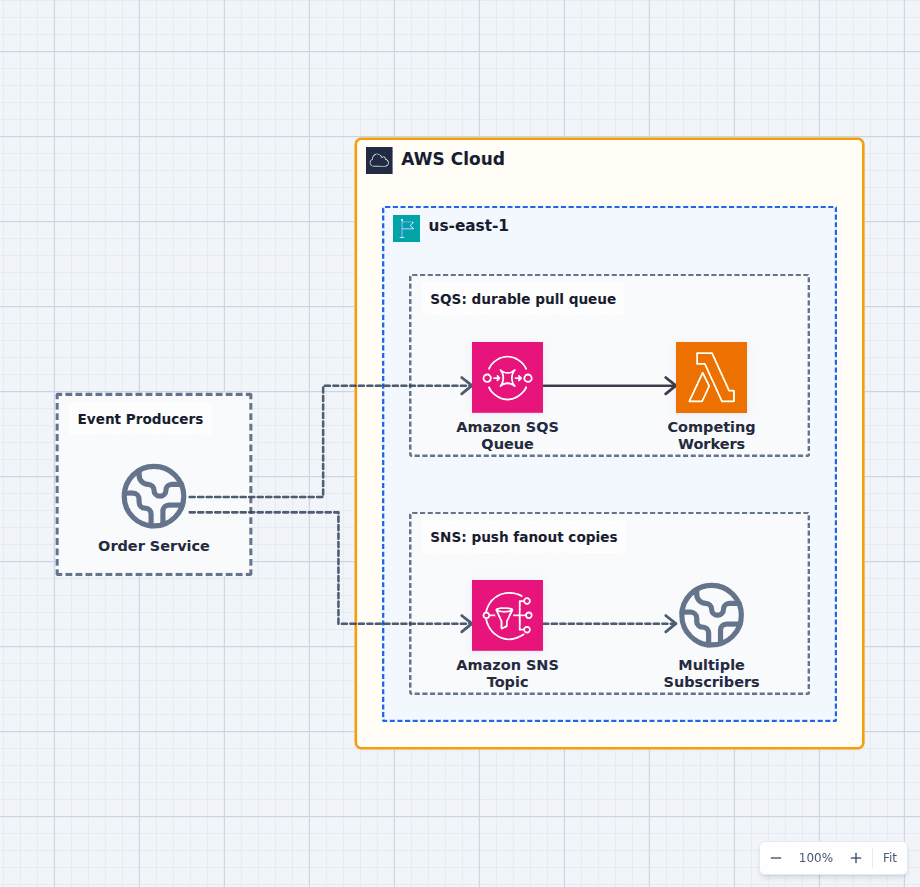
SQS answers who should process this unit of work next; SNS answers which subscribers should receive a copy of this notification. They are commonly used together: a publisher sends one event to SNS, and each durable consumer owns an SQS subscription queue with separate retries, scaling, and a dead-letter queue. The editable comparison diagram shows the pure patterns before you combine them.
Explore the architecture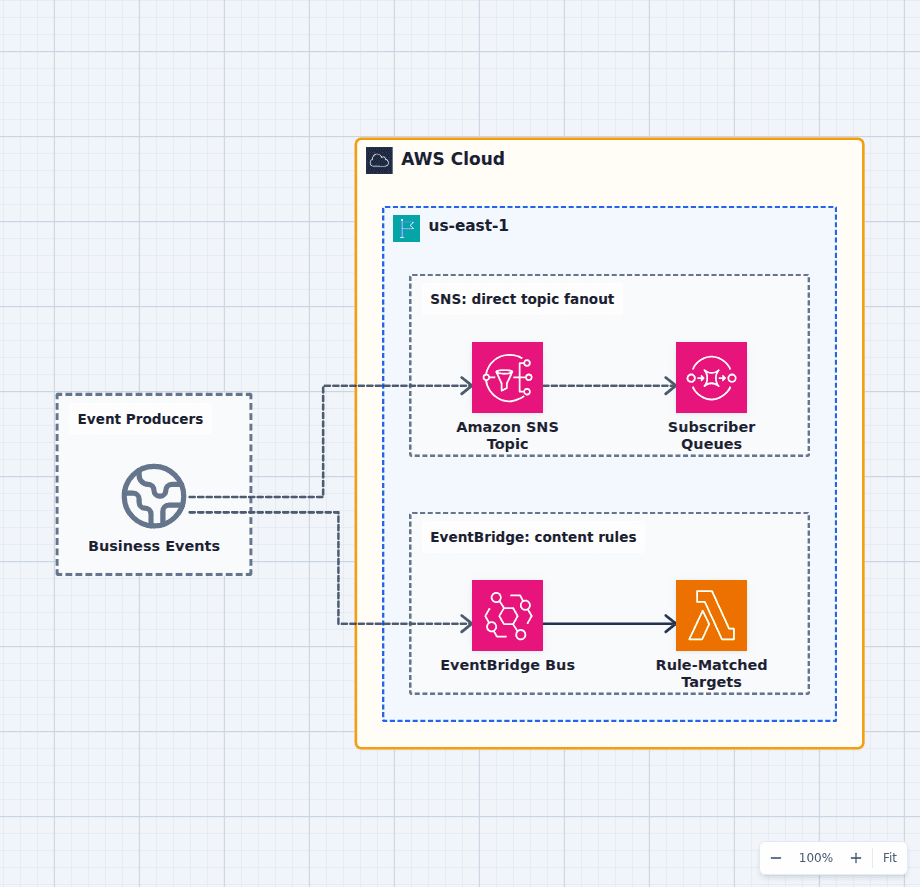
Amazon SNS vs Amazon EventBridge
Choose SNS when a producer needs straightforward, high-throughput fanout to queues, functions, HTTP endpoints, mobile push, SMS, or email. Choose EventBridge when events need richer content matching, routing across accounts and buses, SaaS sources, schema discovery, API destinations, or controlled replay. Use both only when their responsibilities are explicit, not because two buses feel safer than one.
Explore the architecture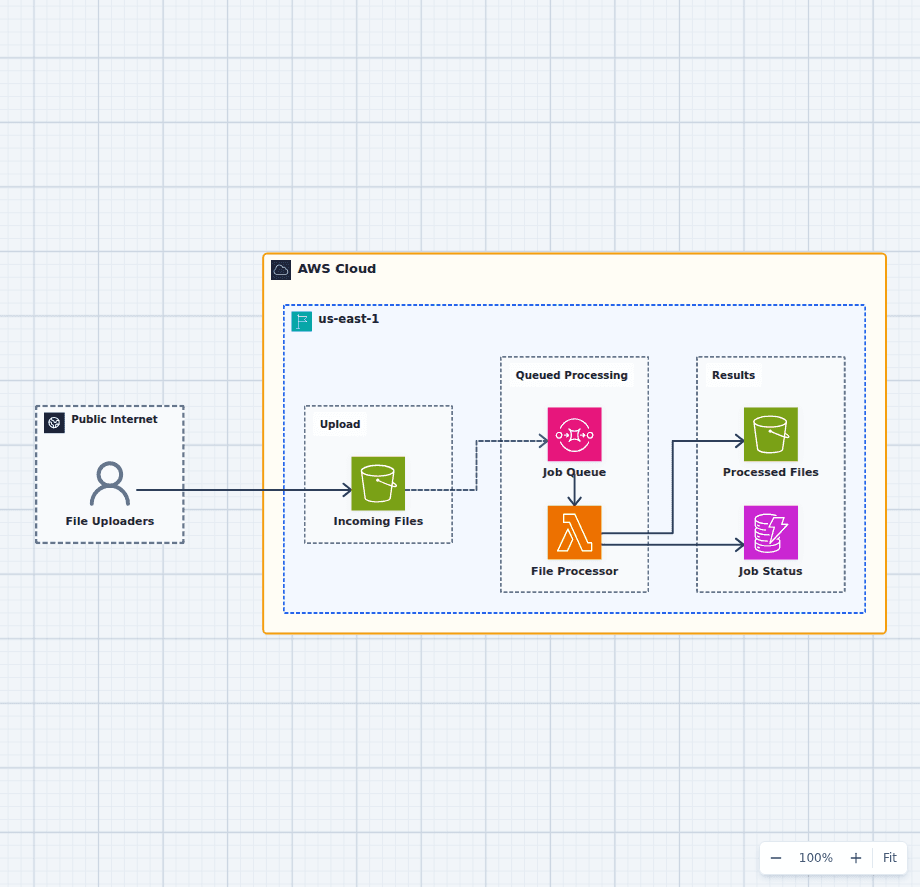
Asynchronous File Processing Pipeline on AWS
This design accepts uploads immediately and lets workers process them at a controlled rate. S3 protects the source file, SQS absorbs bursts and retries, Lambda performs bounded work, and separate result and status stores make completion observable.
Explore the architectureFrom reference to working draft
Adapt this architecture with your AWS AI Agent
Start from the exact diagram in this guide. Change requirements, challenge a decision, or ask what fails first, while keeping the architecture editable.